
Acer Chromebook Spin 714 Repair — Premium Convertible
Last Updated:
The Acer Chromebook Spin 714 (CP714) is Acer’s premium 2-in-1 Chromebook — Chromebook Plus certified, 14″ WUXGA (1920×1200) touch + USI stylus, 360° hinge, Intel Core i5/i7 (12th-gen through current Core Ultra), 8-16GB LPDDR5, single M.2 NVMe SSD, MIL-STD-810H tested chassis. AU price $1,299-$1,899. Sold for premium consumer / executive use + private school 1:1 programs.
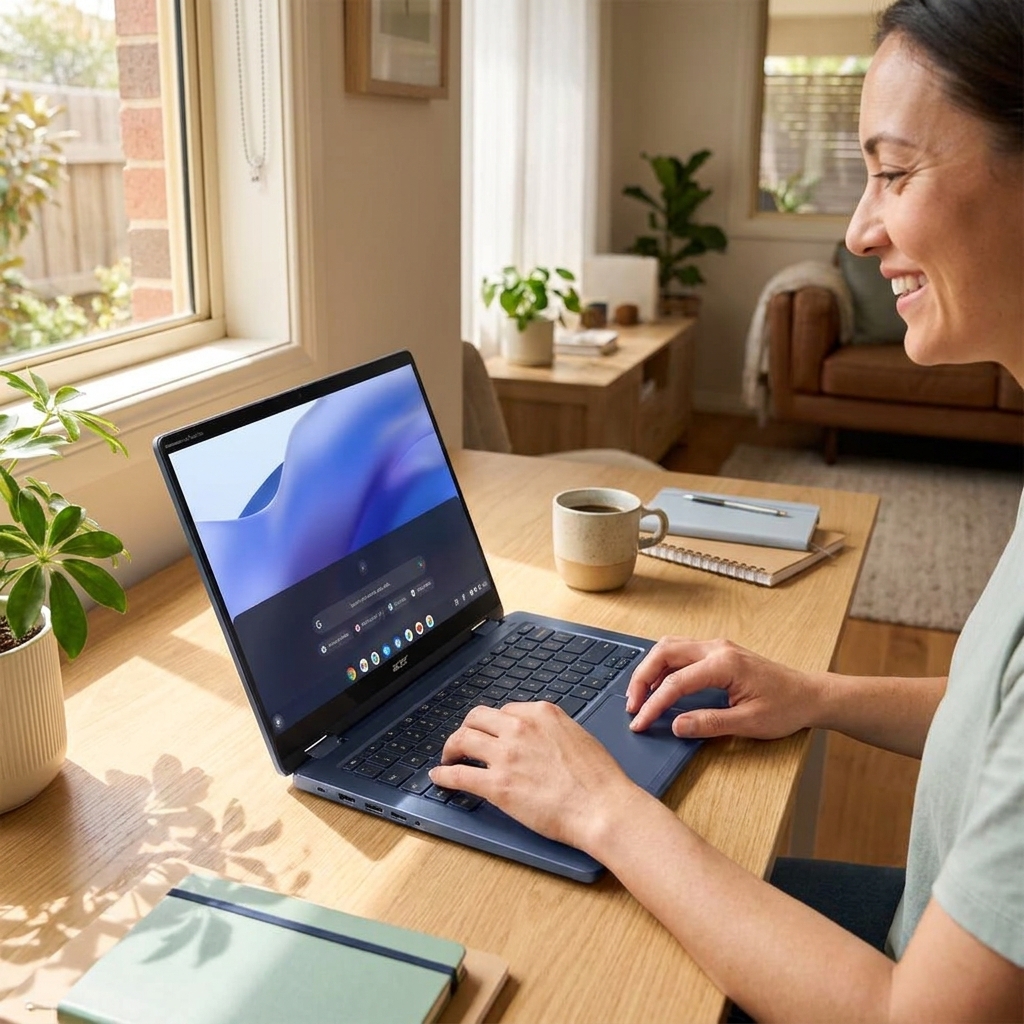
Service patterns combine Chromebook + 2-in-1 laptop characteristics: USB-C charging port wear (Chromebooks live on USB-C; ports wear from frequent dock + charger plug-in), hinge stress at the 360° convertible joint (most-failed mechanical component), screen cracks from drops in tablet mode, keyboard membrane wear on heavy typists, and battery degradation around year 2-3. ChromeOS itself rarely needs repair — Google’s auto-update model means software is generally clean. We do not work on the Auto Update Expiration (AUE) issue — that’s a hardware-replacement-trigger, not repairable.
Models We Service
Every generation we currently service:
| Model | Display | CPU | GPU | Notes |
|---|---|---|---|---|
| Chromebook Spin 714 (CP714-3W) 2024 | 14″ WUXGA touch + USI 2.0 | Core Ultra 7 155U / Ultra 5 125U | Arc iGPU | Chromebook Plus, AI features |
| Chromebook Spin 714 (CP714-2W) 2023 | 14″ WUXGA touch | i7-1355U / i5-1335U | Iris Xe iGPU | Pre-Plus refresh |
| Chromebook Spin 714 (CP714-1WN) 2022 | 14″ WUXGA touch | i7-1260P / i5-1240P | Iris Xe iGPU | Original premium Spin |
Our Repair Process
- Free quote.
- Drop-off, onsite (software) or insured courier.
- Data image safety net.
- 1-3 day workshop turnaround.
- 90-day parts + labour warranty.
Frequently Asked Questions
USB-C charging port wear on Chromebook Spin 714?
Most-common repair. Daughterboard replacement $220-$280 fitted. 2-hour workshop job. Tip: use the right-side USB-C port for charging if left has failed (booked-in machines).
360° hinge failure — fixable?
Yes — hinge assembly is the most failure-prone mechanical part on 2-in-1 Chromebooks. Replacement $280-$380 fitted. 2-3 hour workshop job including bezel re-seating.
Touchscreen + stylus not working — repair?
If touch fails but display works: digitizer-only replacement (rare on Spin 714 — usually fused with panel). Most often full screen-assembly replacement $480-$680 fitted. Stylus often just needs new battery / nib — free diagnostic.
ChromeOS auto-update expired (AUE) — repairable?
No, AUE is a Google policy decision, not a hardware fault. The machine still works but no longer gets security updates. Options: (a) keep using offline-only, (b) install ChromeOS Flex / Linux to extend life, (c) replace machine. We can help with (b) — $120 install + setup.
Spin 714 battery replacement?
$240-$280 fitted for genuine Acer 56Wh battery. Workshop only. Capacity calibration included.
Chromebook Plus AI features broken — software or hardware?
Almost always software — ChromeOS bug, account sync issue, or local data corruption. Free diagnostic + powerwash + recovery. Hardware-related AI failure (NPU fault) is rare; if confirmed, motherboard replacement is the only fix.
Worth repairing 2-3 year old Chromebook Spin?
If hinge + maybe one port: yes, $300-$500 service gives 3-4 more years. Check AUE date first — if AUE is within 2 years, replacement makes more sense. AUE info at chromebook.support.acer.com.
Acer Chromebook Spin 714 Repair faults we repair every week
USB-C charging port wear
Symptom: Intermittent charging, port wobble or complete loss of power delivery after frequent dock/charger insertions
How we fix it: Remove bottom cover, desolder damaged USB-C receptacle from the mainboard and install a new OEM-spec port using hot-air station and flux, then reflow surrounding components.
Repair or replace? repair
360° hinge stress fracture
Symptom: Screen wobbles, clicks or fails to hold position in tablet or tent mode; visible hairline cracks in hinge barrel
How we fix it: Disassemble display assembly, replace both hinge sets with Acer OEM hinges, realign torque settings and test full 360° rotation under load.
Repair or replace? repair
14-inch WUXGA touch panel cracks
Symptom: Spider-web cracks or dead zones after drop in tablet mode, often with digitiser failure
How we fix it: Order matching 14-inch WUXGA touch assembly (1920×1200, USI 2.0), transfer hinge brackets and bezel, calibrate touch controller after install.
Repair or replace? repair
Keyboard membrane wear
Symptom: Certain keys stop registering or repeat on heavy typists after 18-24 months
How we fix it: Remove top case, replace entire keyboard membrane and flex cable as a single assembly, test all keys and back-light function.
Repair or replace? repair
Battery degradation year 2-3
Symptom: Rapid drop from 100 % to 40 % within two hours, or device shuts down at 20-30 % indicated charge
How we fix it: Remove bottom cover and battery shield, disconnect old 3-cell LPDDR5 pack, install new OEM battery and run full charge cycle calibration in ChromeOS.
Repair or replace? repair
Acer Chromebook Spin 714 Repair price guide
| Repair | Indicative price | Typical turnaround |
|---|---|---|
| USB-C port replacement | $180-$260+ | 1-2 days |
| 360° hinge set replacement | $240-$340+ | 1-2 days |
| 14-inch WUXGA touch screen assembly | $320-$460+ | 1-3 days |
| Keyboard membrane replacement | $160-$230+ | same day |
| Battery replacement | $140-$210+ | same day |
| No-fix-no-fee diagnostic | from $149 | 2-5 business days |
| Mainboard-level USB-C repair | $280-$390+ | 2-3 days |
Prices are indicative only — every job is confirmed with a free, no-obligation quote after diagnosis. No Fix, No Fee.
Acer Chromebook Spin 714 Repair — your questions answered
How long does an Acer Chromebook Spin 714 battery usually last before it needs replacing?
Most CP714 units show noticeable capacity loss between 24 and 36 months of daily use. A new OEM battery restores the original 10-12 hour runtime and costs between $140 and $210 fitted with same-day turnaround.
Can the 360 degree hinge on the Spin 714 be repaired or does the whole unit need replacing?
The hinge set is a serviceable part. Our technicians replace both left and right hinges with genuine Acer components, realign torque and test the full range of motion, usually for $240-$340.
Is it worth fixing the USB-C port on a Chromebook Spin 714 or should I buy a new one?
A worn USB-C port is a straightforward board-level repair that returns full charging and data function for $180-$260. Most owners choose repair when the rest of the machine is still within its three-year window.
Will a cracked screen on my Acer Chromebook Spin 714 still work in tablet mode after repair?
We fit a complete matching 14-inch WUXGA touch assembly with USI 2.0 digitiser. After calibration the tablet mode works exactly as new, with full stylus and multi-touch support.
Do you work on Chromebook Spin 714 models that have reached their Auto Update Expiration date?
We do not perform AUE-related work because the device can no longer receive security updates from Google. We focus on hardware repairs for machines still within the supported update period.