


Mac vs PC: The Ultimate Guide 2026
Last Updated:
The Mac vs PC debate has raged for decades, but 2026 is genuinely the most interesting year yet to be a consumer. Apple’s silicon roadmap has matured, Windows 11 has finally stabilised, and the mid-range PC market has never been more competitive. Yet the fundamentals haven’t shifted as dramatically as the headlines suggest. Read more to find out if you should go with Apple or Windows based machine in 2026.
15 min read
Written by The PC Doctor Team
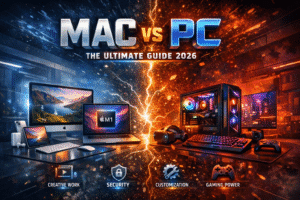
Mac vs PC the Ultimate Guide 2026
The Big Picture in 2026
At The Original PC Doctor, we’ve been repairing and advising on both platforms across Australia since 2001. Our 60+ technicians see the real-world consequences of these purchasing decisions every single day — cracked screens, failed SSDs, software headaches, and the odd cup of coffee poured into a keyboard. That gives us a perspective no spec sheet can offer.
This guide cuts through the marketing noise to give you an honest, practical breakdown of which platform suits your life, your budget, and your needs in 2026.
— The Original PC Doctor, in business since 2001
Performance & Hardware
Apple Silicon: Still the Benchmark King?
Apple’s M4 Pro and M4 Max chips, which power the 2025–2026 MacBook Pro and Mac Studio lineup, remain exceptional for sustained single-core performance and power efficiency. The unified memory architecture means the CPU, GPU, and Neural Engine share a fast memory pool — enormously beneficial for AI-accelerated workflows, video editing, and large language model inference running locally.
However, Intel’s Core Ultra 200 series and AMD’s Ryzen AI 400 (Strix Halo) have closed the gap meaningfully on multi-core performance. High-end Windows laptops like the ASUS ProArt and Lenovo ThinkPad P-Series now trade blows with the MacBook Pro in professional rendering workloads.
RAM & Storage Considerations
One important caveat with Macs: RAM is soldered and non-upgradeable. Buying 16 GB on a Mac in 2026 means living with 16 GB forever. On most Windows laptops and all desktop PCs, you can upgrade RAM down the track. SSDs on Macs are also non-replaceable, meaning a drive failure is a far more expensive repair — something our technicians encounter regularly. See our data recovery services if you’re facing an SSD issue on either platform.
| Category | 🍎 Mac (M4 Series) | 🖥️ Windows PC |
|---|---|---|
| Single-Core Speed | Excellent | Very Good |
| Multi-Core (High-End) | Excellent | Excellent (competitive) |
| GPU Performance (Discrete) | Good (integrated) | Outstanding (RTX 5000 series) |
| Battery Life | Outstanding | Good–Very Good |
| RAM Upgradeability | ❌ None (soldered) | ✅ Most models upgradeable |
| Storage Upgradeability | ❌ None (soldered) | ✅ Yes |
| AI / Neural Processing | Very Strong (Apple Neural Engine) | Strong (Copilot+ NPU) |
Price & Value for Money
Let’s be direct: Macs cost more upfront. The cheapest MacBook Air M4 starts at around AU$1,699, while a capable Windows laptop for everyday tasks can be found for AU$699–$899. That’s a significant gap for families and students.
Apple advocates will correctly point out that Macs tend to retain resale value better and that the total cost of ownership over five years can be competitive. There’s truth in that — particularly when you factor in macOS updates being free and historically longer. However, for budget-conscious buyers, that argument rings hollow when the upfront hit is AU$800–$1,200 more.
Education discounts through Apple’s Higher Education store can save students AU$150–$300 on Macs. We regularly bundle Windows laptops with software and accessories at no extra cost — worth comparing before you buy.
Desktop Value
The gap is even wider on the desktop side. A well-specced custom-built Windows desktop PC — assembled by a local technician — can outperform a Mac Mini for similar money, or dramatically outperform it for the same money. The Mac Pro, while extraordinary in certain professional workflows, starts at a price point that puts it firmly in the enterprise category.
Repairability & Longevity
This is where our experience as Australia’s leading mobile computer repair service becomes most relevant — and where the Mac vs PC debate gets very real, very fast.
The Mac Repairability Problem
Since Apple moved to Apple Silicon in 2020 and continued soldering all key components, the repairability of MacBooks has dropped significantly. The RAM and SSD are bonded to the motherboard. Many components are paired, meaning replacements require Apple-authorised equipment to avoid feature loss. Screen replacements, battery swaps, and logic board repairs on modern Macs are technically possible but expensive.
Older Intel-based Macs (2017–2020) are substantially more repairable and still excellent performers for general use. If budget allows, a second-hand Intel MacBook Pro from that era, professionally serviced, can be outstanding value.
Windows PCs: Designed to Be Fixed
Most Windows laptops and virtually all desktop PCs are far more repairable. RAM slots, M.2 SSD bays, swappable batteries (on many business-class laptops), and standardised connectors mean that a repair rather than a replacement is almost always possible. Brands like Lenovo ThinkPad, Dell Latitude, and HP EliteBook are particularly well regarded for serviceability.
🔧 Need a Repair Right Now?
The Original PC Doctor services both Mac and Windows devices across all Australian states:
— PC Doctor Field Technician Paul
Software & Ecosystem
macOS: Polished, Cohesive, Walled
macOS Sequoia (and the rumoured macOS 16 later in 2026) is a beautifully cohesive operating system. If you’re already in the Apple ecosystem — iPhone, iPad, AirPods, Apple Watch — the handoff experience, AirDrop, Universal Clipboard, and Continuity Camera features genuinely improve daily life. The continuity between devices is best-in-class and not something Windows has fully replicated.
The trade-off: you’re inside Apple’s walls. Custom software that runs on Windows only — especially in industries like construction, manufacturing, accounting, and healthcare — can force your hand. Check your must-have applications before committing.
Windows: Universal Compatibility
Windows 11 has matured into a solid, reliable OS. The software catalogue is simply larger — virtually every business application, niche utility, and industry-specific tool has a Windows version. Windows is also dramatically better for custom-built desktop PCs, giving enthusiasts full control over components, drivers, and configurations.
Microsoft’s Copilot AI integration across Office 365 continues to deepen in 2026, and for businesses already embedded in the Microsoft 365 ecosystem, the Windows experience is deeply integrated in ways that macOS can only approximate via web apps.
| Software Factor | 🍎 Mac | 🖥️ Windows |
|---|---|---|
| Business Software Compatibility | Good | Excellent (universal) |
| OS Stability | Excellent | Very Good |
| Apple Ecosystem Integration | Outstanding | N/A |
| Microsoft 365 Integration | Very Good | Outstanding |
| Developer Tools (Unix-based) | Excellent | Good (WSL2) |
| Free OS Upgrades | Yes (indefinite) | Yes (Windows 11 onward) |
| Industry-Specific Software | Hit & miss | Near-universal |
Gaming
If gaming is a significant part of your computing life, this section is essentially the tiebreaker.
Windows wins gaming — decisively and without much debate in 2026. Apple’s Game Porting Toolkit and the small but growing library of native macOS games have improved things marginally, but the reality is stark: the overwhelming majority of PC game titles are Windows-only or arrive on Mac years later. The PC gaming ecosystem — Steam, Epic, Battle.net, GPU driver optimisation, modding communities, and peripheral support — is built entirely around Windows.
NVIDIA’s RTX 5000 series GPUs (and AMD’s RX 9000 series) available in Windows gaming PCs offer rasterisation and ray-tracing performance that Apple’s integrated GPU simply cannot match, regardless of how efficient Apple Silicon is in other tasks.
For casual gaming — browser games, light indie titles, Apple Arcade — a Mac is perfectly adequate. For serious gaming, the answer is PC, full stop.
If your gaming PC is crashing, overheating, or showing GPU artefacts, our technicians can diagnose and repair desktop gaming PCs across Australia — including thermal paste replacement, PSU testing, and GPU fault diagnosis.
Creative Work & Business
Creative Professionals
For video editing, photo editing, music production, and motion graphics, both platforms are now genuinely capable. Final Cut Pro remains Mac-exclusive and is regarded as the best consumer-to-prosumer video editing application available. Logic Pro on Mac is similarly dominant in audio production. DaVinci Resolve, Adobe Premiere, and Adobe Lightroom run excellently on both.
The MacBook Pro’s ProMotion XDR display is class-leading for colour-accurate creative work. However, high-end Windows laptops from ASUS, Dell XPS, and LG Gram Pro now offer OLED displays with comparable colour accuracy.
For 3D rendering and GPU-compute-heavy creative work (Blender, Cinema 4D, Unreal Engine), a Windows PC with a dedicated NVIDIA RTX GPU will substantially outperform any Mac in raw throughput.
Business & Professional Environments
Enterprise IT departments have historically standardised on Windows for good reason: Active Directory integration, Group Policy management, widespread IT support skills, and near-universal line-of-business application compatibility. Many Australian businesses in accounting, construction, legal, medical, and government sectors run software that is Windows-exclusive.
That said, Macs in business have grown considerably. Apple Business Manager, MDM support, and the rise of cloud-based SaaS tools have made Mac deployment in enterprise far more viable than it was five years ago.
Security & Privacy
Historically, Macs enjoyed a security advantage primarily because their smaller market share made them less attractive targets for malware authors. That narrative has changed significantly. macOS malware — including info-stealers targeting cryptocurrency wallets and browser credentials — has grown sharply, and Mac users who assume they’re immune are putting themselves at risk.
Windows, despite its reputation, has improved enormously. Windows Defender is now a genuinely capable antivirus solution and is built-in. Microsoft’s Pluton security chip in newer PCs mirrors Apple’s Secure Enclave in protecting credentials and encryption keys at the hardware level.
Both platforms benefit from keeping their OS and applications updated promptly. If you suspect a virus or malware on either platform, professional removal is always recommended over DIY attempts that can inadvertently damage your installation.
Who Should Buy What?
Stop reading benchmarks and start answering this question: what do I actually need this computer to do? Here’s our honest take by use case:
Student (General Study)
Web, Office, video calls, light assignments. Budget matters.
→ Windows PC (value)
Creative / Designer
Photo editing, video, UI/UX design. Colour accuracy matters.
→ Mac (M4 Pro recommended)
PC Gamer
AAA titles, competitive gaming, high frame rates.
→ Windows PC — no contest
Corporate / Business
Depends on your software stack. Check compatibility first.
→ Windows (safest default)
Software Developer
Terminal, git, containers, web development.
→ Mac (Unix base is ideal)
Music Producer
DAW-heavy work, Logic Pro user or considering it.
→ Mac (Logic Pro is Mac-only)
Home / Family
General use, streaming, homework, bill paying.
→ Windows PC (cost-effective)
Heavy Excel / Data Work
Complex spreadsheets, Power BI, Power Query.
→ Windows (Excel is better on PC)
3D / Engineering / CAD
SolidWorks, AutoCAD, Blender render farms.
→ Windows PC (GPU power)
Final Verdict: The Honest Answer
There is no universal winner in 2026. Both platforms are excellent, and both have clear strengths. The decision should come down to your actual workflow, your budget, your ecosystem, and how important long-term repairability is to you.
🍎 Choose a Mac if…
- You’re already deep in the Apple ecosystem
- Battery life is your top priority
- You use Logic Pro, Final Cut Pro, or Xcode
- You’re a developer on Unix-based stacks
- You want a premium, low-maintenance experience
- Your required software is available on macOS
🖥️ Choose a Windows PC if…
- Gaming is a priority
- You need specific Windows-only business software
- Budget is a significant factor
- You want upgradeability and easier repairs
- You need a powerful discrete GPU
- You’re building a desktop PC from scratch
| Category | 🍎 Mac | 🖥️ PC | Winner |
|---|---|---|---|
| Performance (everyday) | Excellent | Excellent | Tie |
| Performance (GPU/3D) | Good | Outstanding | PC |
| Battery Life | Outstanding | Good–Very Good | Mac |
| Value for Money | Good | Excellent | PC |
| Repairability | Poor–Fair | Good–Excellent | PC |
| Software Library | Good | Excellent | PC |
| Ecosystem (Apple) | Outstanding | N/A | Mac |
| Gaming | Poor–Fair | Outstanding | PC |
| Creative (Music/Video) | Excellent | Excellent | Tie |
| Build Quality (Premium) | Excellent | Varies | Mac |
| Security | Very Good | Very Good | Tie |
| Upgradeability | None | Excellent | PC |
When Things Go Wrong — We’ve Got You Covered
Regardless of which platform you choose, computers break. Screens crack, hard drives fail, coffee gets spilled (more often than you’d think), and viruses get through. Since 2001, The Original PC Doctor has been Australia’s trusted mobile computer repair service — we come to you, whether you’re at home or at work.
Our technicians are experienced on both Mac and Windows platforms and carry parts for the most common repair jobs. Here’s what we can help with:
🔧 Our Most Popular Repair Services
- Laptop Screen Replacement — Mac & PC
- Data Recovery — Failed SSD, HDD & Mac Drives
- Virus & Malware Removal — Mac & Windows
- General Computer Repairs — All Makes & Models
- Slow Computer Tune-Up Service
- Computer Repairs Melbourne
- Computer Repairs Sydney
- Computer Repairs Brisbane
- Computer Repairs Perth
- Computer Repairs Adelaide
- Computer Repairs Hobart
- Computer Repairs Canberra
- Computer Repairs Darwin




























