


Hard Drive Data Recovery Australia — All Brands & Failure Types
Last Updated:
A failed hard drive doesn’t mean your data is gone forever. The Original PC Doctor recovers data from all makes, models and failure types — from clicking drives and head crashes to corrupted file systems, dead PCBs, accidental formats and water-damaged drives pulled out of flooded basements. We’ve been recovering data for Australian businesses and home users since 2001, operate ISO-5 Class 100 cleanroom facilities, and partner with Kroll Ontrack — the world’s largest data recovery organisation — to deliver results that local computer shops simply can’t match.

Whether your laptop hard drive failed mid-Windows-update, your external Seagate Backup Plus stopped showing up after a drop, your Western Digital My Book started clicking, or your office NAS suffered a multi-disk failure, we have the tools, donor parts and cleanroom facilities to recover your photos, documents, accounting files, business databases, video projects and irreplaceable family memories.
Emergency: 1300 723 628
⚡ Free Quick Quote — Free phone assessment, 24/7
A failed or failing hard drive? Don’t keep powering it on — call now for a free, no-obligation assessment.
📞 Call 1300 723 628 (24/7)
⚡ Free Quick Quote
Start Your Recovery →
✔ Free file list before you pay · ✔ Free phone assessment · ✔ ISO-5 Class 100 clean room · ✔ Trusted since 2001
Hard Drive Failures We Recover Every Day
Hard drives fail in a surprisingly small number of ways, but the symptoms can look very different depending on the underlying fault. Here’s how the most common failure modes present, and what’s happening inside the drive when they do:
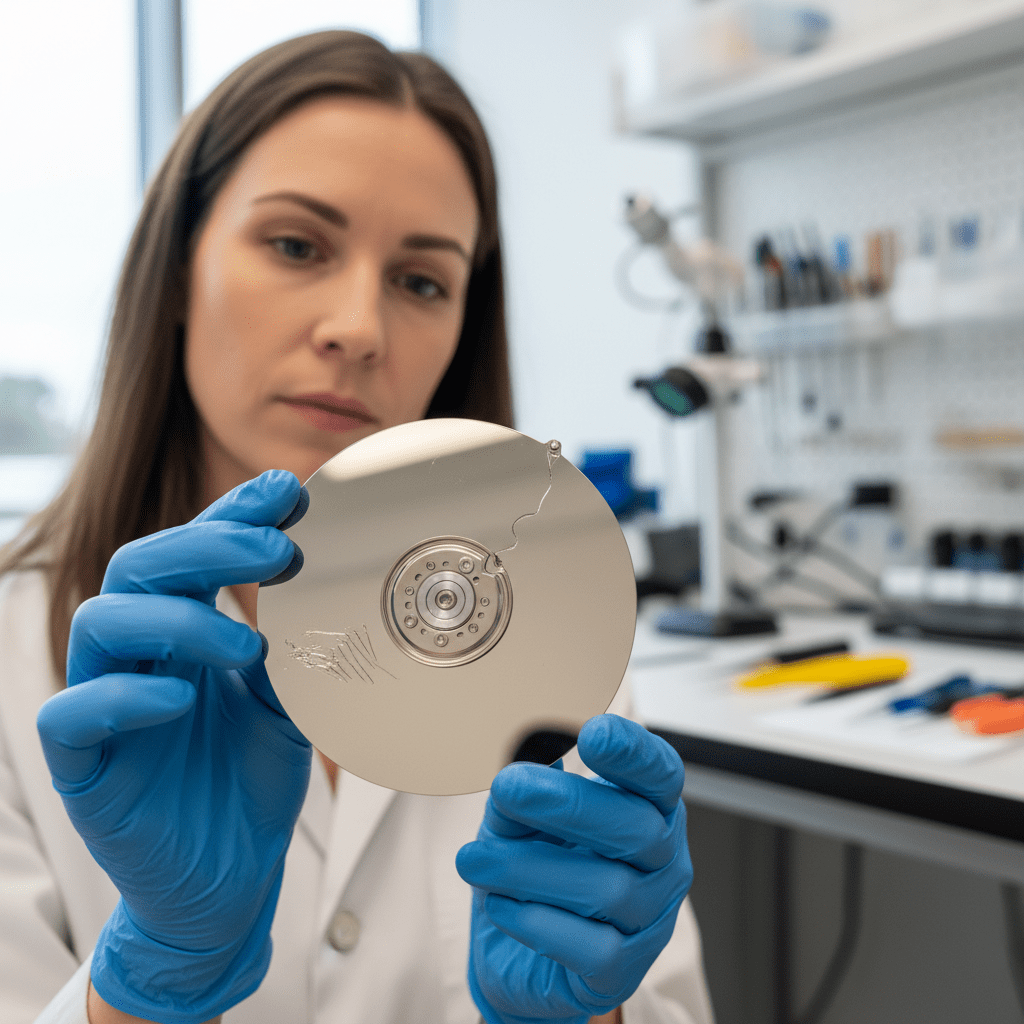
- Clicking, beeping, or grinding noises (“click of death”) — head crash or actuator failure where the heads can’t track properly across the platters. Requires cleanroom head stack replacement using donor parts. Powering the drive on repeatedly will scratch the platters and reduce recoverability.
- Drive not detected in BIOS, Disk Management, or Disk Utility — typically PCB failure (often after a power surge), firmware corruption preventing the drive from completing its ready state, or a seized spindle motor. All three are recoverable with the right tools.
- Drive not spinning up at all (silent on power) — dead PCB or seized motor. PCB swaps require ROM chip transfer between matching boards; seized motors typically need a platter transplant.
- Slow performance, freezing, or repeated SMART warnings — bad sectors developing across the platter surface. The drive is in a pre-failure state — backup or image immediately before complete failure.
- “You need to format the disk before you can use it” — partition table or file system corruption. Do not format. The data is still on the drive and recoverable in 95%+ of cases if the drive is otherwise healthy.
- Accidental format, deleted files, or “shift+delete” loss — file system recovery and deep file carving. 90–99% success when the drive has not been written to since the incident.
- Reformatted drive after Windows reinstall or macOS reset — the underlying data usually survives a quick format. Stop using the drive immediately and call us before installing more software.
- Fire, flood, or water damage — ultrasonic cleaning, microscope platter assessment, and platter transplant in the cleanroom. We’ve recovered drives pulled out of flooded basements and house fires.
- Dropped or impact-damaged drive — head crash or platter scoring depending on impact angle and whether the drive was powered on at the time of the drop.
- Power surge or lightning strike damage — typically PCB-only damage with the platters and heads intact. Board replacement with ROM transfer usually recovers full data.
- Smoke, burning smell, or visible PCB damage — burnt TVS diodes or fried controller chips. Recoverable via PCB swap in most cases.
- Failed firmware update or stuck on manufacturer logo — firmware area corruption. Requires professional firmware repair tools to access the drive’s service area.
What To Do Right Now (Before You Call)
The actions you take in the first few hours after a hard drive failure have a bigger impact on recovery success than almost anything we do in the lab. Here’s the short version:
⚡ Free Quick Quote for a free phone assessment before you do anything else.
All Hard Drive Brands & Models Supported
We recover data from every hard drive manufacturer ever made. Drive vintage doesn’t matter — we have donor inventory for drives going back to the late 1990s, and we recover from current 22TB+ enterprise drives. Common models we see weekly include:
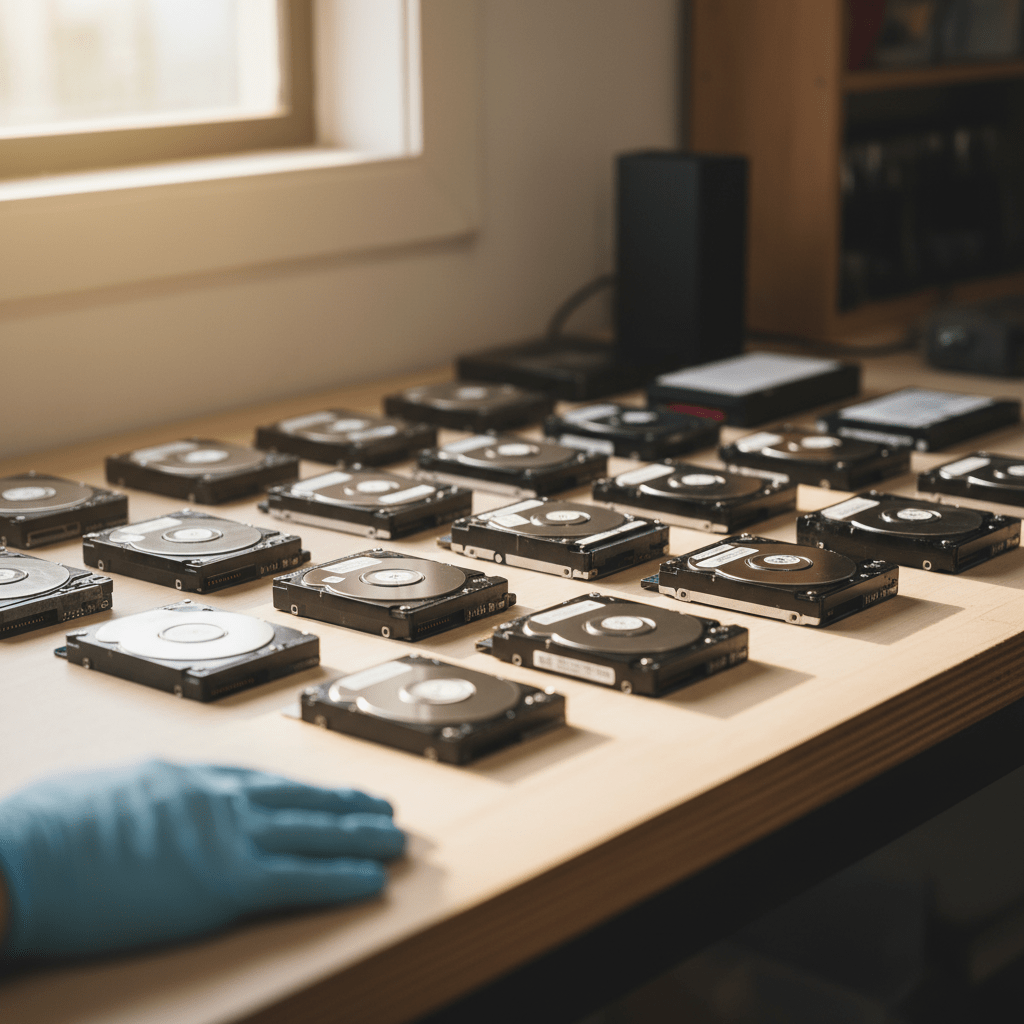
Form factors covered: desktop 3.5″, laptop 2.5″ (7mm and 9.5mm), 1.8″ micro drives, server SAS/SCSI/SATA, and enterprise helium-filled drives. We recover from every modern interface — SATA, IDE/PATA, SAS, SCSI, USB 2/3/3.1/3.2, USB-C, eSATA, FireWire 400/800, and Thunderbolt. No drive is too old, too large, or too damaged for us to assess.
External & Portable Hard Drive Recovery
External drives — whether USB-powered portables like the WD My Passport and Seagate Backup Plus Slim, or mains-powered desktop units like the WD My Book and Seagate Expansion Desktop — are the most common drives we see for recovery. Why? Because they’re moved around, dropped, knocked off desks, unplugged mid-write, and used as the only backup of irreplaceable photos and business data.

Common external drive recovery scenarios:
- External drive not recognised after dropping or knocking — almost always a head crash inside the enclosure. The drive itself needs cleanroom recovery; the enclosure is irrelevant.
- “You need to format the disk in drive X” appears when plugging in — partition or file system corruption. Do not format. We can usually recover the original file structure intact.
- Drive shows up but is empty or shows wrong capacity — partition table damage or firmware issue. Files are still there.
- USB-powered drive clicks or beeps when connected — insufficient power or head failure. Try a powered USB hub once; if the symptom persists, stop and call us.
- External drive stuck on a single file or folder copy that won’t complete — bad sectors. Stop the copy immediately — repeated retries accelerate failure.
- WD external with built-in hardware encryption (My Passport with VCD) — these require specialist tooling to handle the encryption layer; consumer software will fail.
NAS, RAID & Server Hard Drive Recovery
Multi-disk failures, accidental rebuilds, controller failures and proprietary RAID configurations are some of the most demanding recoveries we handle. We have experience with every major NAS platform and RAID level used in Australian small business and enterprise environments:
- Synology DSM — including Synology Hybrid RAID (SHR / SHR-2) and standard RAID 0/1/5/6/10
- QNAP QTS / QuTS hero — including ZFS-based volumes
- WD My Cloud and My Cloud EX/PR/DL series — including legacy MioNet and RAID-1 mirrors
- Drobo BeyondRAID — proprietary, dynamic-disk arrays requiring specialist reconstruction
- Buffalo TeraStation, LinkStation
- Netgear ReadyNAS — including X-RAID and X-RAID2
- Dell PowerEdge, HPE ProLiant servers — hardware RAID controllers including PERC, Smart Array
Common RAID failure scenarios include single drive failure where the array kept running degraded until a second drive failed, accidental rebuild after replacing the wrong drive, controller failure where the array won’t import to a new chassis, and accidental volume deletion or filesystem corruption inside the array. If you have a degraded RAID array, do not initiate a rebuild before calling us — a bad rebuild can permanently destroy recoverable data. Bring all member disks of the array; we virtually reconstruct the array safely without writing to the original drives.
Our Recovery Process
- Free phone assessment — call 1300 723 628
⚡ Free Quick Quote and speak directly with a recovery specialist who will diagnose the likely fault from your symptoms and give you a price range before you commit to anything. - Device assessment — drop off in person at our Ringwood VIC headquarters, arrange free courier pickup from anywhere in Australia, or have a technician collect onsite in any capital city or major regional area.
- File list and fixed quote — we image the drive, attempt logical and physical recovery as needed, and send you a complete list of recoverable files with a fixed quote. You see exactly what’s recoverable before paying anything.
- Recovery and secure delivery — once you approve the file list, your data is delivered on new encrypted storage media via insured courier, secure cloud transfer, or in-person collection. Original drive returned with the recovery on request.
Ready to recover your data? Free file list, no recovery – no fee.
📞 Call 1300 723 628 (24/7)
⚡ Free Quick Quote
Start Your Recovery →
✔ Free file list before you pay · ✔ Free phone assessment · ✔ ISO-5 Class 100 clean room · ✔ Trusted since 2001
Related: Hard drive clicking & failure symptoms · SD & memory card recovery
Our Recovery Guarantee & 14-Day Workmanship
Data recovery is one of the few services where the customer often can’t tell whether the work succeeded until they get their files back — and where unscrupulous operators sometimes charge for failed attempts. We do neither.
Here’s how it works: after a free phone assessment and a free Quick Quote, we send you a full list of the files we recovered before you pay. You only pay if we successfully retrieve your files and you approve the file list. This is paired with a 14-day workmanship guarantee on completed recoveries — if the recovered data has issues, we re-image at no additional cost within that window. All recoveries are handled by ID-verified technicians under chain-of-custody protocols, with NDAs available on request.
Free Resources
Independent, non-commercial references on hard drive health and failure:
- Backblaze Drive Stats — real-world hard drive failure rates
- Hard disk drive failure explained (Wikipedia)
Our Data Recovery Specialties
We recover from every device and failure type — go straight to the specialist service you need:
- Hard drive data recovery
- SSD data recovery
- USB flash drive recovery
- SD & memory card recovery
- RAID & NAS recovery
- Email & Outlook PST recovery
- Ransomware data recovery
- Photo recovery
- External hard drive recovery
- iPhone & smartphone recovery
- Mac & MacBook recovery
- Emergency & same-day recovery
- Business & server recovery
FAQs — Hard Drive Recovery
How much does hard drive data recovery cost in Australia?
Logical failures (corrupted file system, accidental format, deleted files) typically range from $300–$800 AUD. Physical failures (clicking drives, drives that won’t spin up, head crashes) typically range from $800–$2,000 depending on damage severity, drive capacity, and whether cleanroom work or donor parts are required.
Enterprise SAS drives, large RAID arrays and severely damaged drives sit at the top of that range. We provide a free phone assessment and a fixed quote with file list before any recovery work begins. Call 1300 723 628
⚡ Free Quick Quote.
Can you recover data from a clicking hard drive that won’t boot?
Yes. A clicking sound — sometimes called the “click of death” — almost always indicates head or actuator failure where the read/write heads cannot track properly across the platters. If your drive clicks and Windows or macOS won’t boot, power it down immediately.
Our ISO-5 Class 100 cleanroom facilities allow safe disassembly, contamination-free head stack replacement using donor parts, and platter imaging. Success rate for clicking drives is 75–90%, provided the drive is not subjected to repeated power cycles or DIY repair attempts.
How long does hard drive recovery take?
Logical recovery (file system corruption, accidental deletion, format, lost partitions) typically takes 1–3 business days. Physical recovery requiring cleanroom work or donor parts typically takes 3–7 business days, occasionally longer for rare or vintage drives where donor sourcing is required.
Emergency same-day and 24-hour priority services are available for urgent business cases — ask about expedited options when you call.
My external hard drive was dropped — can the data be saved?
Yes, in most cases. Stop using the drive immediately and do not attempt to power it back on or run recovery software. Continued operation after a physical impact risks turning a repairable head crash into permanent platter scoring, which can render data unrecoverable. This applies to internal hard drives, portable USB drives, and external desktop drives equally.
Call us as soon as possible — the sooner a damaged drive reaches our cleanroom, the higher the recovery success rate.
Do you charge if you can’t recover the data?
Here’s how it works: after a free phone assessment and a free Quick Quote, we send you a full list of the files we recovered before you pay. You will only be charged if we successfully retrieve your files and you approve the file list before delivery.
This is paired with a 14-day workmanship guarantee on completed recoveries — if the recovered data has issues we will re-image at no additional cost within that window.
Will my data remain confidential during recovery?
Yes. All recoveries are handled by ID-verified technicians under strict chain-of-custody protocols. Your drive and recovered data are never shared with third parties or cloud-uploaded. Recovered files are securely wiped from our systems after successful delivery.
We can sign a non-disclosure agreement on request for sensitive corporate, legal, medical or government recoveries.
Can you recover data from SSDs as well as traditional hard drives?
Yes. SSD recovery requires very different techniques to mechanical hard drives — including NAND chip-off extraction, controller analysis, XOR descrambling, and TRIM-aware reconstruction. If your SSD has failed, call us before powering it back on. TRIM commands and background garbage collection can permanently erase recoverable data on a powered SSD, so time is critical.
We recover from Samsung, Crucial, Kingston, SanDisk, WD Blue/Black/Red SSDs, NVMe M.2 drives and enterprise SSDs.
What if my drive was encrypted (BitLocker, FileVault, VeraCrypt)?
We can recover encrypted drives provided you can supply the recovery key, password, or keyfile. This includes BitLocker (Windows), FileVault 2 (macOS), VeraCrypt, TrueCrypt, LUKS (Linux), self-encrypting drives (SED) and hardware-encrypted external drives.
Without valid credentials the underlying data is recoverable at the sector level but cannot be decrypted into usable files. We will be upfront about this during the free phone assessment so there are no surprises.
Which hard drive brands and models do you recover from?
We recover from every major hard drive manufacturer including Seagate (Barracuda, IronWolf, SkyHawk, Exos, FireCuda), Western Digital (WD Blue, Black, Red, Purple, Gold, Elements, My Passport, My Book), Toshiba (Canvio, X300, N300), Hitachi/HGST (Deskstar, Travelstar, Ultrastar), Samsung (SpinPoint, M3, T-series), Maxtor, Fujitsu and IBM/Lenovo.
Capacities range from 40GB vintage drives to 22TB+ enterprise models. Form factors covered include desktop 3.5″, laptop 2.5″, server SAS/SCSI, and external USB, eSATA, FireWire and Thunderbolt drives.
Can you recover photos and videos from a formatted hard drive?
Yes — recovery of accidentally formatted drives has a 90–99% success rate provided the drive has not been written to since the format. We use file system reconstruction to recover original folder structure and filenames where possible, plus deep file carving (signature-based recovery) for JPEG, RAW, MP4, MOV, MKV, PNG, PSD, AI and over 300 other file types.
This applies to quick formats and most full formats on traditional spinning hard drives — SSDs are time-sensitive due to TRIM.
My hard drive is not detected in Windows or BIOS — what does that mean?
A drive that doesn’t appear in BIOS, Disk Management, Disk Utility, or File Explorer typically means one of three faults:
- PCB (controller board) failure — often caused by power surges. Requires PCB swap with ROM chip transfer.
- Firmware corruption — preventing the drive from completing its ready state. Repaired using professional tools that access the drive’s service area.
- Seized spindle motor — the platters can’t spin up. Typically requires platter transplant in our cleanroom.
All three are recoverable.
Can you recover from a NAS, RAID array or server hard drives?
Yes. We recover from Synology, QNAP, WD My Cloud, Drobo, Buffalo and Netgear ReadyNAS units, as well as RAID 0, RAID 1, RAID 5, RAID 6, RAID 10 and proprietary configurations like Synology Hybrid RAID (SHR) and Drobo BeyondRAID.
Common scenarios include multiple simultaneous drive failures, accidental rebuild after a single drive fault, controller failure, and accidental volume deletion. Bring all drives from the array — we need every member disk to virtually reconstruct the array safely without writing to the originals.
Can you recover data from a fire or flood damaged drive?
Yes. Water-damaged drives should be kept sealed in a plastic bag or container and never powered on — drying the drive yourself can drive contaminants and salt deposits onto the platters. Fire-damaged drives often have recoverable platters even when the casing, PCB and labels are destroyed.
Both cases are handled in our ISO-5 cleanroom with ultrasonic cleaning, platter assessment under microscope, and platter transplant techniques as required. We have successfully recovered data from drives retrieved after house fires, floods and even building collapses.
Can I attempt DIY hard drive recovery before sending the drive in?
For logical failures only — accidental deletion or quick format on an otherwise healthy drive — running consumer recovery software can sometimes work if you save recovered files to a different drive.
For any physical symptom (clicking, grinding, beeping, not detected, dropped, water damage, smoke or burning smell) DIY attempts almost always make recovery harder or impossible. Freezer tricks, opening the drive, swapping PCBs without ROM transfer, and repeatedly power-cycling a clicking drive are the most common ways customers turn a recoverable drive into an unrecoverable one.
Where in Australia can I send my hard drive for recovery?
We service all of Australia. You can drop off in person at our Ringwood VIC headquarters, arrange free courier pickup from anywhere in the country, or have one of our 60+ ID-verified technicians collect onsite in Melbourne, Sydney, Brisbane, Perth, Adelaide, Canberra, Hobart, Darwin and surrounding regional areas.
Insured return shipping is included with completed recoveries.
Call 1300 723 628
⚡ Free Quick Quote for free expert advice — or book online now.




























