

Dell XPS Desktop Repair — XPS 8930 through XPS 8960
Last Updated:
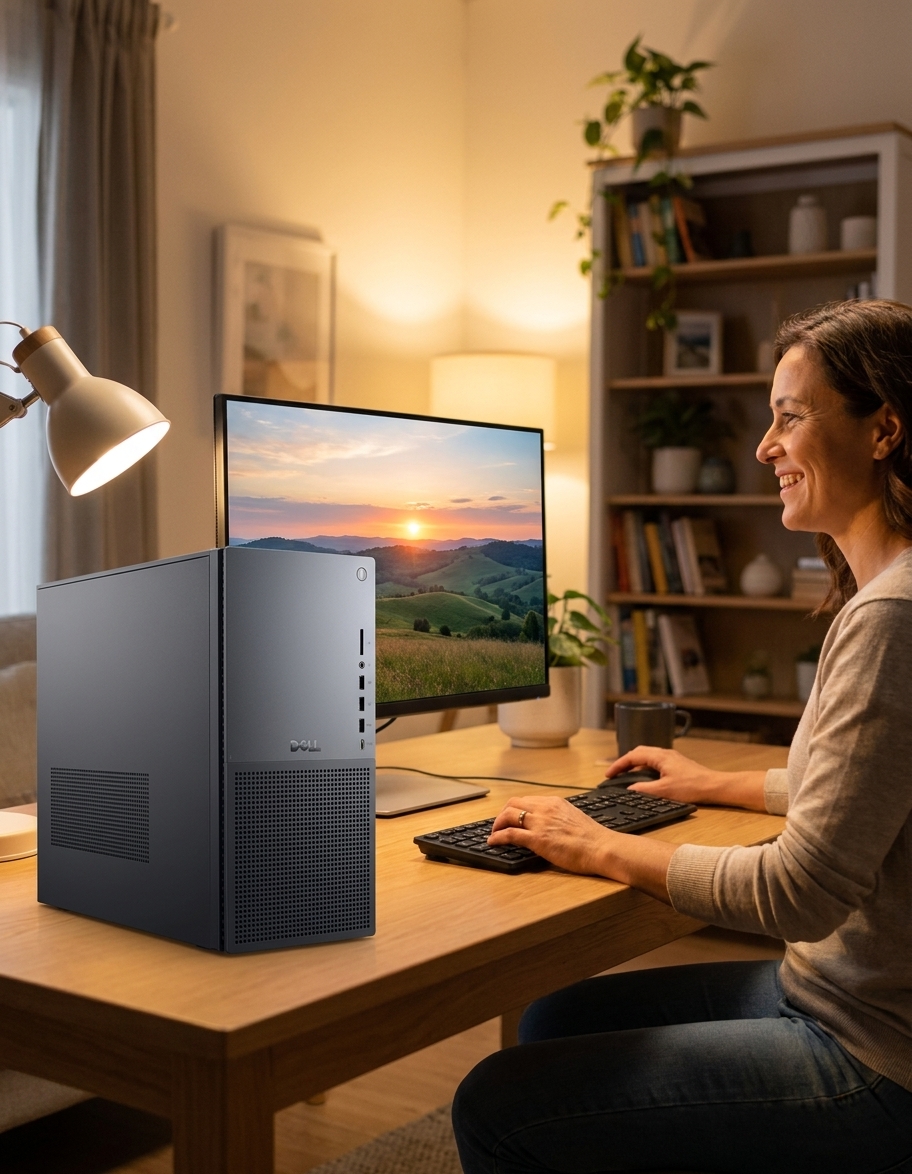
The Dell XPS Desktop line — XPS 8930, 8940, 8950, 8960 — is Dell’s premium prebuilt-tower offering. Mid-tower chassis, standard ATX-ish form factor (with Dell’s own quirks), Intel CPU + optional discrete NVIDIA GPU, configurable for everything from office productivity to enthusiast gaming. We service every XPS Desktop generation across Australia — onsite for diagnostic + software, workshop for component-level work.
Models We Service
Every generation we currently service:
| Model | Year | Common faults | Service status |
|---|---|---|---|
| XPS 8930 | 2018-2019, 8th/9th Gen Intel | PSU, RAM, GPU, thermal | Yes |
| XPS 8940 | 2020-2021, 10th/11th Gen Intel | Same chassis, refined | Yes |
| XPS 8950 | 2022, 12th Gen Intel Alder Lake | Refreshed chassis | Yes |
| XPS 8960 | 2023-2024, 13th/14th Gen Intel | Current — improved cooling | Yes |
| XPS 8910/8920 (legacy) | 2016-2017 | Service available, parts tighter | Yes — case-by-case |
Common Issues & How We Fix Them
PSU failure or upgrade for new GPU
XPS Desktop PSUs are a known weak point — limited wattage relative to the chassis’s GPU capability. Standard 460W in 8930/8940; bumped to 750W on 8960 top-spec. Replacement or upgrade: $180-$420 fitted depending on wattage.
GPU upgrade
XPS Desktop fits up to 3-slot GPUs but PSU is the real constraint. We size the PSU, install the GPU, verify thermal margin under stress test. Common upgrade: stock GTX 1660 → RTX 4060/5060 in 8950+.
RAM upgrade
XPS Desktop uses standard DDR4 (8930-8940) or DDR5 (8950-8960) DIMMs. 64GB upgrades straightforward.
Thermal throttling under sustained load
Smaller chassis = tighter thermals. We can re-paste CPU with PTM7950, add intake fan, install better aftermarket air cooler if needed. $180-$320.
SSD + storage upgrades
2× M.2 NVMe slots + multiple SATA bays. Common upgrade with full Windows clone — 2-3 hours.
Motherboard / capacitor failures (older 8930/8940)
Older XPS Desktops past 5 years can show capacitor degradation. Board-level repair or full motherboard swap. Quote per case.
Front-panel USB / audio jack failures
Daughter-board replacement: $180-$240 fitted.
Our Repair Process
- Free quote — describe symptoms or upgrade goal.
- Onsite available for diagnostic, software, drive imaging across all major Aussie metros.
- Workshop turnaround — 1-3 days for typical hardware service.
- 90-day warranty.
Frequently Asked Questions
Dell XPS Desktop Repair faults we repair every week
Dell 460W/750W proprietary PSU failure
Symptom: Sudden shutdowns under GPU load, no POST, orange diagnostic LED on motherboard
How we fix it: Remove side panel, unplug 24-pin and 8-pin connectors, swap with matching Dell 460W-1000W unit and re-test with FurMark stress loop.
Repair or replace? repair
XPS 8930/8940 motherboard capacitor leakage
Symptom: Random restarts after 30-60 minutes, bulging 10V 1000µF caps near VRM
How we fix it: Desolder failed polymer capacitors, replace with equivalent low-ESR parts, clean flux residue and verify rail voltages.
Repair or replace? repair
Thermal throttling on 12th/13th Gen CPU
Symptom: CPU package hits 95-100°C within minutes of Cinebench, sustained clocks drop 800MHz
How we fix it: Remove stock cooler, clean IHS and cold plate, apply PTM7950 phase-change pad, re-install and log new delta-T under load.
Repair or replace? repair
RTX 3060/4060 GPU power-limit shutdown
Symptom: Black screen during gaming, Event Viewer shows Kernel-Power 41, PSU rail sags below 11.8V
How we fix it: Measure 12V rail under 300W draw, fit higher-wattage Dell OEM PSU with correct 12-pin connector, confirm stable 450W+ delivery.
Repair or replace? Depends
M.2 NVMe drive not detected after Windows update
Symptom: BIOS shows drive, Windows Disk Management empty, PCIe link training fails
How we fix it: Enter BIOS, disable Secure Boot temporarily, reseat drive in primary M.2 slot, update Intel RST and chipset drivers from Dell SupportAssist.
Repair or replace? repair
Front-panel USB-C port failure
Symptom: No device recognition, 5V short on VBUS pin, plastic housing melted around port
How we fix it: Replace front I/O daughterboard assembly (part 0H7K9J), route new cable harness and test 20Gbps link with external enclosure.
Repair or replace? repair
Dell XPS Desktop Repair price guide
| Repair | Indicative price | Typical turnaround |
|---|---|---|
| PSU replacement (460W-750W) | $180-$420+ | same day workshop |
| Motherboard capacitor repair | $240-$380+ | 2-3 days |
| CPU thermal repaste + fan upgrade | $180-$320+ | same day |
| GPU + PSU upgrade package | $650-$1250+ | 1-2 days |
| M.2 NVMe SSD clone + install | from $165 | 2-3 hours |
| Front I/O USB-C board replacement | $145-$210+ | same day |
| No-fix-no-fee diagnostic | from $149 | 2-5 business days |
Prices are indicative only — every job is confirmed with a free, no-obligation quote after diagnosis. No Fix, No Fee.
Dell XPS Desktop Repair — your questions answered
How much does it cost to replace the power supply in an XPS 8960?
A 750W Dell OEM unit fitted and tested costs $280-$420 depending on whether the 12-pin GPU cable is included. We bench-test the new PSU under full GPU load before returning the tower.
Can you upgrade the GPU in an XPS 8940 or 8950?
Yes, provided the existing PSU can deliver stable 12V. We size a matching Dell 750W or 1000W supply first, then fit a 3-slot RTX 4060 or 4070 and confirm thermals with a 30-minute stress test.
Why does my XPS 8930 keep shutting down when I play games?
Most 8930/8940 units have a 460W PSU that sags under modern GPU loads. We measure rail voltage during gameplay and usually resolve it with a higher-wattage Dell supply or by limiting GPU power target.
Is the XPS Desktop easy to open for RAM or SSD upgrades?
The side panel releases with two thumbscrews and the drive cage swings out on a hinge. Adding DDR4/DDR5 or a second M.2 drive takes under 15 minutes once the panel is off.
Do you still service the older XPS 8910 and 8920 towers?
We do, but 8th-gen motherboards and proprietary PSUs are becoming scarce. We quote case-by-case after a diagnostic and advise on whether repair or a new build is more economical.