


iMac Data Recovery — Apple Silicon, T2 Intel, Fusion Drive & Older iMacs
Last Updated:
Lost data? Stop using the device and act now — early action is the biggest factor in successful recovery.
✔ Free file list before you pay · ✔ Free phone assessment · ✔ ISO-5 Class 100 clean room · ✔ 20+ years experience
Your iMac is the family hub or the studio workhorse — years of photos, the kids’ school work, your video projects, your accounts. When the screen goes dark, the spinning wheel never stops, or the Fusion Drive splits and macOS won’t load, the data is still there in 95% of cases — but how we get it out depends entirely on the model. Whether you have a colourful 24″ M1 / M3 iMac, a 2017–2020 5K Retina iMac with T2 chip and Fusion Drive, or an older 21.5″ or 27″ Intel iMac going back to 2009, we recover from every generation.

Get your free no-obligation Quick Quote — fill in the Free Quick Quote form on this page and an Australian iMac data recovery specialist will respond with the next step.
Apple Silicon iMac — M1 (2021) and M3 (2023) 24″
The colourful 24″ iMac (M1 2021, M3 2023) uses the same SoC architecture as the M-series MacBooks: SSD soldered to the logic board, storage controller inside the SoC, encryption keys in the Secure Enclave. The drive cannot be removed and read independently. If the iMac powers on but won’t boot, recovery is usually possible through DFU mode and Apple Configurator imaging via a second Mac. If the logic board is dead, recovery becomes a board-level repair problem.
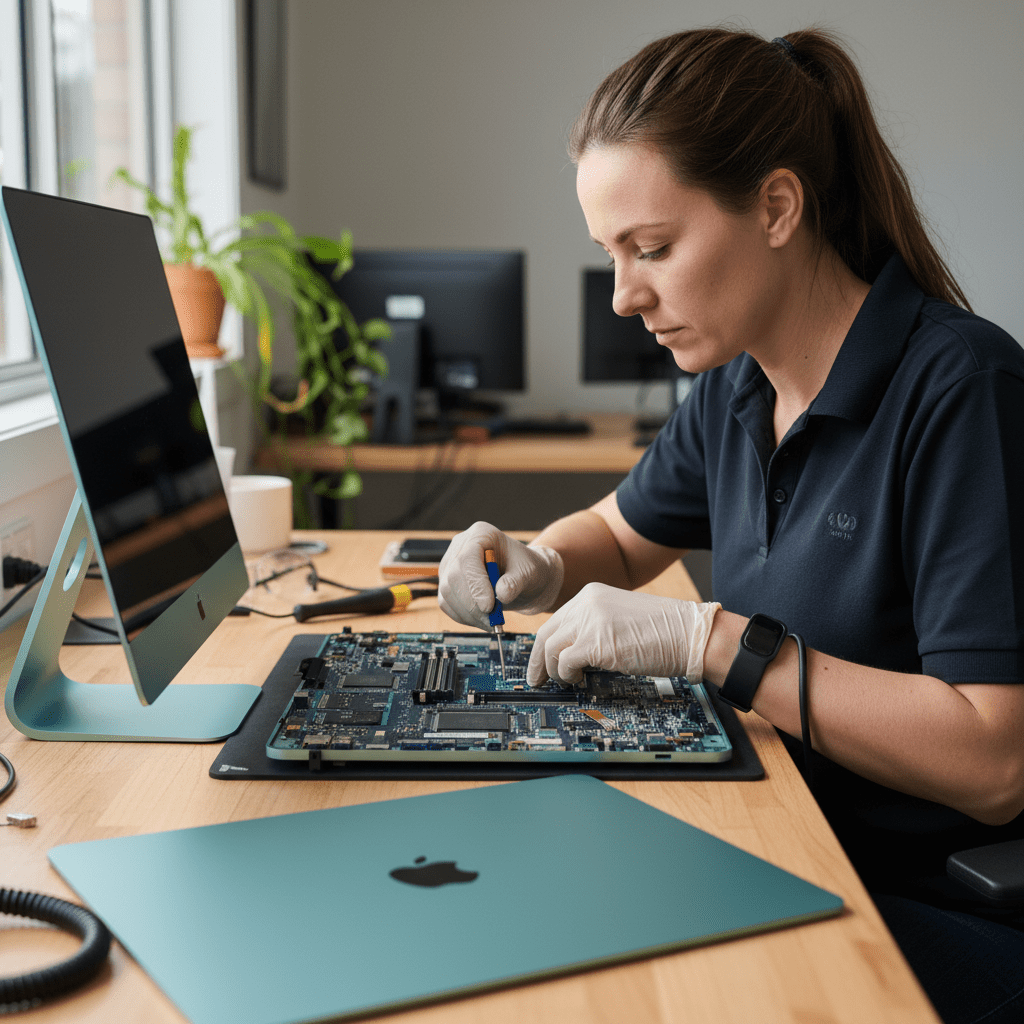
T2 Intel iMac — 2017 27″ iMac Pro & 2020 27″ 5K Retina
The 2017 iMac Pro and 2020 27″ 5K Retina iMac have a T2 security chip. The SSD is soldered, encryption is hardware-enforced by the T2 even if FileVault is off, and the keys live inside the T2 chip itself. If the board is dead, only board-level repair gives access to the original keys — chip-off NAND extraction returns ciphertext only.
Fusion Drive Recovery
Most 2012–2019 27″ iMacs (and many 21.5″ models) shipped with Apple’s Fusion Drive — a small SSD (24, 32, or 128 GB) bonded with a 1, 2, or 3 TB hard drive into a single Core Storage logical volume. When either half fails, the whole volume falls apart and macOS shows it as unmountable.
Fusion recovery is a specialised skill. We image both halves separately, then reconstruct the Core Storage / APFS metadata to rebuild the file system. A standard “clone the hard drive” approach loses everything that lived on the SSD half — usually all your most-recently-used files. We do it properly.
Older Intel iMac — 2009 to 2016
Older Intel iMacs (21.5″ and 27″, 2009 through 2016) typically have a removable SATA hard drive or SSD (sometimes both). FileVault is off by default, recovery is usually a clean clone-and-extract job. We see a lot of these for: the hard drive aged out, the iMac fell off the desk, the kids spilled juice through the back vent, or the GPU on the 2011 27″ finally died and took the display with it — all recoverable.
Won’t Boot / Grey Screen / Folder With Question Mark
A grey screen with no Apple logo, a flashing folder with a question mark, or an endless spinning wheel almost always means a software or storage problem — not a dead iMac. We image the drive in a controlled environment, then either repair the file system on the image or extract files directly. The hardware never gets a stress test on a degraded drive.
Dead iMac / No Display
If the iMac shows no signs of life, the fix is typically a single failed component on the power supply or logic board. Our board-level team brings the original board back to life long enough to image the SSD or Fusion volume with all encryption keys intact.
How the Recovery Process Works
- Submit the Free Quick Quote form on this page. Tell us the iMac model and year, what happened, what data matters most.
- We respond with next steps and a diagnostic booking. A diagnostic fee applies for the assessment.
- You receive a fixed-price written quote before any recovery work begins.
- Once approved, we recover the data and return it on encrypted external media or a secure transfer.
Pricing & Free Quick Quote
Logical iMac recoveries (deleted files, corrupted volume, failed macOS update, Fusion split) are at the lower end. Physical recoveries (failed hard drive head crash, dead board, T2 / Apple Silicon imaging) sit at the higher end. Every job starts with a Free Quick Quote — fill in the form on this page — followed by a paid diagnostic and a fixed-price written quote you approve before any recovery work begins.
Australia-Wide Service Coverage
We recover iMac data Australia-wide — Sydney, Melbourne, Brisbane, Perth, Adelaide, Canberra, Hobart, Darwin, Gold Coast, Newcastle, Wollongong, Sunshine Coast, Geelong, Townsville, Cairns, regional NSW, regional Victoria, regional Queensland, and remote sites by secure courier. iMacs are large — we can arrange specialist couriers for safe delivery.
Ready to Recover Your iMac Data?
Fill in the Free Quick Quote form on this page now. Tell us the year, the symptoms, and what data matters most — we’ll respond with next steps.
Free Resources
Independent, non-commercial references:
Get your data back — free file list, free phone assessment. Talk to a specialist today.
✔ Free file list before you pay · ✔ Free phone assessment · ✔ ISO-5 Class 100 clean room · ✔ 20+ years experience




























