


Mac Studio Data Recovery — M1 Max, M1 Ultra, M2 Max & M2 Ultra
Last Updated:
Lost data? Stop using the device and act now — early action is the biggest factor in successful recovery.
✔ Free file list before you pay · ✔ Free phone assessment · ✔ ISO-5 Class 100 clean room · ✔ 20+ years experience
The Mac Studio is the heavy-iron Apple Silicon desktop — the machine your video editor, your photographer, your music producer, or your 3D studio uses to actually do the work. When it stops booting, when the storage suddenly looks empty, when a power surge takes out the logic board mid-export — the data trapped inside is often weeks or months of irreplaceable project files. We recover from every Mac Studio: the 2022 M1 Max and M1 Ultra, and the 2023 M2 Max and M2 Ultra.

Get your free no-obligation Quick Quote — fill in the Free Quick Quote form on this page and an Australian Mac Studio specialist will respond with the next step.
- › M1 Max & M1 Ultra Mac Studio (2022)
- › M2 Max & M2 Ultra Mac Studio (2023)
- › Removable SSD Modules — Yes, But…
- › Won’t Boot / Stuck on Apple Logo
- › Dead Logic Board / No Power
- › Pro Project File Recovery (Final Cut, Logic, DaVinci, etc.)
- › How the Recovery Process Works
- › Pricing & Free Quick Quote
- › Australia-Wide Service Coverage
M1 Max & M1 Ultra Mac Studio (2022)
The first-generation Mac Studio (March 2022) shipped with the M1 Max or the dual-die M1 Ultra. Both use Apple Silicon’s standard storage architecture: storage controller inside the SoC, encryption keys in the Secure Enclave, FileVault on by default. Recovery on a working-but-unbootable Studio uses DFU mode and Apple Configurator imaging via a second Mac.
M2 Max & M2 Ultra Mac Studio (2023)
The 2023 refresh added M2 Max and M2 Ultra. Same storage architecture, same recovery approach. Slightly different DFU pin sequence on some firmware revisions — we have the up-to-date Apple Configurator builds and Apple-issued recovery profiles to handle current Studios.
Removable SSD Modules — Yes, But…
Unusually for Apple Silicon, the Mac Studio has physically removable SSD modules — you can pop them out. But it’s not a get-out-of-jail-free card: the NAND chips on those modules are raw, unencrypted-controllerless storage. The actual SSD controller and encryption keys live in the SoC, not on the module. Pop the module into another Studio and macOS sees nothing readable. Pop it into a third-party reader and you get garbage.
What this means: removable does not equal recoverable through chip-off. Recovery still requires a working logic board paired to those exact modules, with FileVault unlocked. We’ve seen plenty of well-meaning users swap modules between Studios trying to fix a problem — sometimes that exact swap is what locks the data away permanently. If your Studio has a problem, please don’t swap the SSD modules until you’ve spoken with us.
Won’t Boot / Stuck on Apple Logo
If the Studio powers on but won’t get past the Apple logo, recovery is usually possible. We image the storage in DFU mode via a second Mac before any repair attempt — even a marginally healthy SoC gets one clean pass at extraction.
Dead Logic Board / No Power
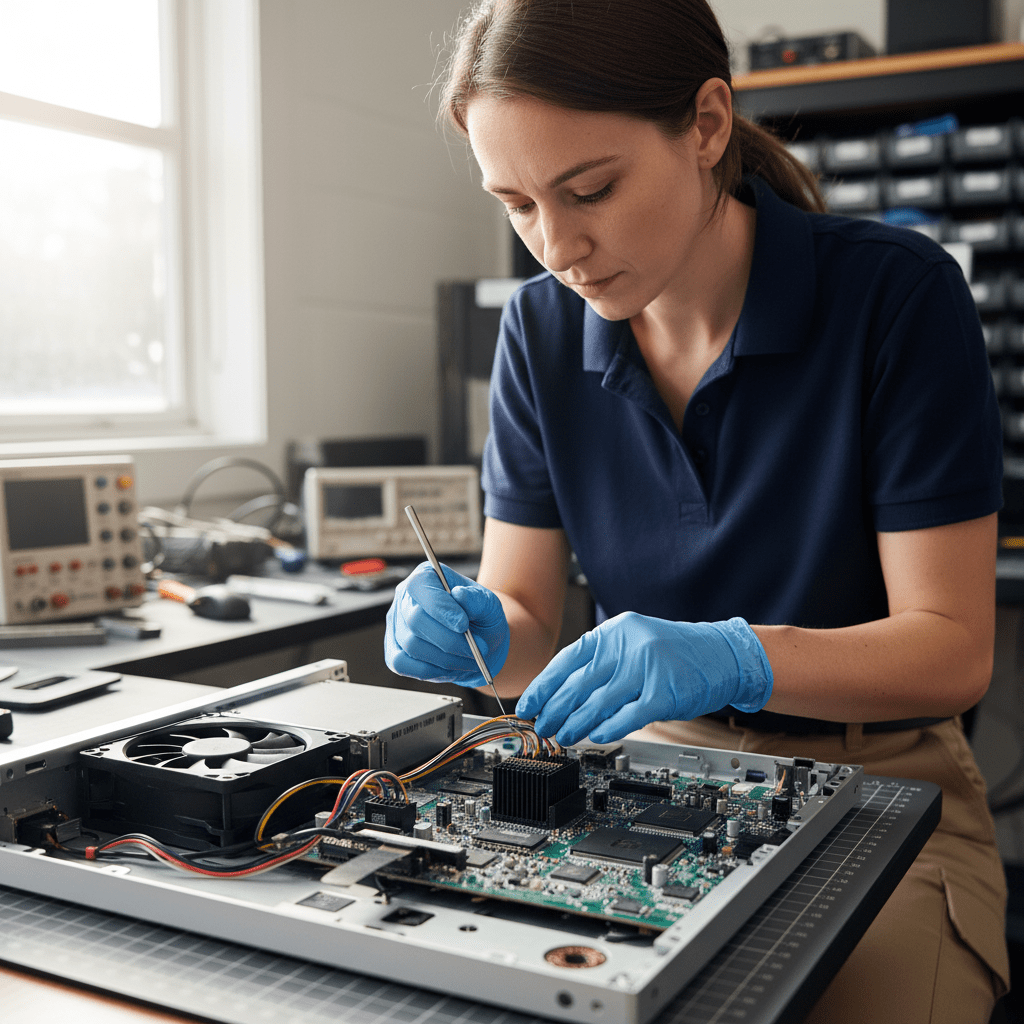
No power LED, no fan, no chime — usually a single failed component on the power supply or logic board, often after a power surge or storm. Our board-level team brings the original board back to life long enough to image the storage with all encryption keys intact. Replacement boards or SSD module swaps will not work — the original SoC has to be the one doing the unlocking.
Pro Project File Recovery
Mac Studios live in pro creative shops. We’ve recovered Final Cut Pro libraries, Logic Pro projects, DaVinci Resolve project databases, Adobe Premiere caches, Cinema 4D and Blender scenes, and Xcode build trees. We understand that a recovered “file” isn’t useful if Final Cut can’t reopen the library — we test-mount and verify pro project bundles open cleanly before returning the recovery.
How the Recovery Process Works
- Submit the Free Quick Quote form on this page. Tell us the model (M1 Max / M1 Ultra / M2 Max / M2 Ultra), what happened, and what data matters most.
- We respond with next steps and a diagnostic booking. A diagnostic fee applies for the assessment.
- You receive a fixed-price written quote before any recovery work begins.
- Once approved, we recover the data and return it on encrypted external media or a secure transfer.
Pricing & Free Quick Quote
Logical Studio recoveries (deleted files, corrupted volume, failed macOS update) are at the lower end. Physical recoveries (dead board, board-level repair, DFU-mode imaging from a partially failed SoC) sit at the higher end. Every job starts with a Free Quick Quote — fill in the form on this page — followed by a paid diagnostic and a fixed-price written quote you approve before any recovery work begins.
Australia-Wide Service Coverage
We recover Mac Studio data Australia-wide — Sydney, Melbourne, Brisbane, Perth, Adelaide, Canberra, Hobart, Darwin, Gold Coast, Newcastle, Wollongong, Sunshine Coast, Geelong, Townsville, Cairns, regional NSW, regional Victoria, regional Queensland, and remote sites by secure courier. Studios are compact and ship safely.
Ready to Recover Your Mac Studio Data?
Fill in the Free Quick Quote form on this page now. Tell us the model, the symptoms, and what project files matter most — we’ll respond with next steps. Please don’t swap SSD modules between Studios.
Free Resources
Independent, non-commercial references:
Get your data back — free file list, free phone assessment. Talk to a specialist today.
✔ Free file list before you pay · ✔ Free phone assessment · ✔ ISO-5 Class 100 clean room · ✔ 20+ years experience




























