


Laptop Battery Replacement Australia — All Brands, Same-Day Service
Last Updated:
Your laptop battery is one of the most critical components determining whether you can work, study, or stay connected on the go. When your battery stops holding a charge, it is not just frustrating — it is a safety hazard. At The Original PC Doctor, we have replaced thousands of laptop batteries across all major brands including HP, Dell, Lenovo, ASUS, Acer, Samsung, Toshiba, MSI, and MacBook. Our technicians carry genuine and certified batteries in stock, meaning we can often complete your laptop battery replacement the same day you call us. We understand that being without your laptop is inconvenient, which is why we prioritise fast turnaround times without compromising quality.
Unlike retail shops that may sell you an incompatible or low-quality battery, we diagnose your laptop exact model, verify the original specifications, and install a battery that matches your device perfectly. If your laptop battery is dying fast, if it swells or feels warm, or if your machine only works when plugged in, we will get you back to portable computing quickly and safely. We have been helping Australians keep their laptops running since 2001, and battery replacement remains one of our most requested services across every state from Sydney to Perth, Melbourne to Brisbane, and everywhere in between.
👇 Scroll to the bottom of this page for free resources, guides, and blog articles — including our most popular battery health tips and expert advice.
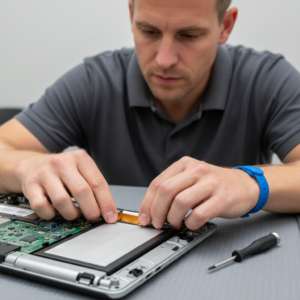
Acer laptop battery replacement — swollen, degraded or won’t-charge cells
Signs Your Battery Needs Replacing
Recognising when your laptop battery needs replacement is the first step toward restoring your device to full portable functionality. Modern lithium-ion batteries degrade over time through chemical reactions that are inevitable and irreversible. Typically, a laptop battery loses 20 percent of its capacity per year of use, meaning that a battery which worked perfectly for five years may now only hold half its original charge. Here are the most common signs that your battery needs professional replacement:
Battery Types Explained
Understanding the different types of laptop batteries helps explain why we recommend specific replacements for your device. Not all batteries are the same, and choosing the right type is critical for safety and performance. Here are the main battery technologies you will encounter:
Which Laptops Can Have Batteries Replaced
Most laptop models can have their batteries replaced, but the ease and cost vary significantly depending on the design. Some laptops have user-accessible batteries that can be swapped in minutes, while others require complete disassembly. Here is what you need to know about your specific device:
✅ Easy Battery Replacement
Older Dell Inspiron, HP Pavilion, Lenovo ThinkPad (older models), ASUS Vivobook with removable battery cover, Samsung and Toshiba models from 2015 and earlier. These devices often have battery access panels that pop off with a simple slider, allowing battery swaps without internal disassembly.
⚠️ Complex Battery Replacement
Modern thin laptops including MacBook Air, MacBook Pro, HP Spectre, Dell XPS, ASUS ZenBook, Razer Blade. These devices have batteries glued to the chassis and require partial or full disassembly, removal of keyboard decks, and careful handling to avoid damage to surrounding components.
Here is a quick reference for popular brands and their battery replaceability:
How Our Battery Replacement Works
Our battery replacement process is methodical and comprehensive, ensuring that your laptop returns to full health with a reliable, long-lasting battery. Here is exactly how we handle every replacement:
Device Assessment and Model Verification
When you bring your laptop to us, our first step is to confirm the exact model, manufacturing date, and original battery specifications. We check your device information in Windows (System Information or Device Manager) or on a Mac (About This Mac, System Report). We photograph the original battery label, which displays the model number, part number, voltage, and capacity (measured in Wh — watt-hours). This information is crucial because using an incorrect battery can cause charging problems, performance issues, or hardware damage.
Battery Health Diagnosis and Testing
We use diagnostic software to determine your battery current health percentage and capacity. On Windows, we run Powercfg or use third-party tools like BatteryReport. On Mac, we review the battery health data in System Report. If your battery shows less than 50 percent design capacity, replacement is clearly needed. Even if your battery shows 70 to 80 percent health, we advise replacement if you use your laptop daily, as you will experience severe capacity loss within months. Once we confirm the diagnosis, we discuss your options for genuine versus third-party batteries, and we provide an exact price and timeline.
Careful Disassembly and Component Protection
For devices requiring disassembly, we photograph each step before removing panels, cables, or components. We use anti-static mats and wrist straps to prevent electrostatic discharge damage to sensitive electronics. We carefully remove keyboard decks, trackpads, and any components blocking battery access. We label every cable with its connector location. For glued batteries (common on modern devices), we use gentle heat and plastic prying tools to avoid scratching or puncturing the case. We disconnect any internal battery connectors with precision to avoid damaging the motherboard.
Installation of Certified Replacement Battery
We install your new battery, ensuring proper orientation and secure connections. If the original battery was glued, we apply new adhesive strips rated for lithium-ion batteries (we never use generic hot glue or spray adhesive). For barrel-connector batteries, we ensure the connection is firmly seated. We perform a visual inspection of all battery cells and connectors. We reassemble your laptop following our reverse-order photographs, reconnecting all cables carefully. We test the battery connection by powering on the device and checking for proper recognition in the operating system.
Full System Testing and Battery Calibration
Before returning your laptop, we charge the new battery to 100 percent, then run a full diagnostic suite. We verify that Windows Device Manager or macOS System Report correctly recognizes the battery. We run a stress test on your processor and graphics to ensure no thermal issues. We confirm that your laptop runs on battery power and holds that charge for a realistic duration. For new batteries, we perform a full calibration cycle — charging to 100 percent, then fully draining to zero, then charging to 100 percent again. This ensures accurate battery percentage reporting. Only after passing all tests do we return your laptop to you with confidence.
Ready for Fast Battery Replacement?
Most replacements are completed within 24 hours. We carry stock of genuine batteries for all major brands, so we can often start your service immediately.

Common Battery Jobs We Do
Our battery replacement service spans every major laptop brand and covers a vast range of scenarios. Here are the most common jobs we perform daily across Australia:
Battery Replacement Pricing
Our pricing is transparent and competitive. We do not charge surprise fees or hidden costs. Here is how our battery replacement pricing breaks down:
Genuine Battery Cost
Genuine original equipment manufacturer (OEM) batteries typically range from AUD 120 to AUD 280, depending on capacity and brand. MacBook batteries are usually AUD 180 to AUD 240. Larger gaming laptop batteries (ASUS ROG, MSI) may reach AUD 280. We always quote the exact price before ordering.
Labour Cost
Our labour charge depends on complexity. Simple replacements (accessible batteries) are AUD 60 to AUD 90. Complex replacements requiring disassembly (MacBook, modern ultrabooks) are AUD 120 to AUD 150. We quote the labour cost upfront and do not exceed it without your approval.
Total investment: Most battery replacements in Australia cost between AUD 200 and AUD 400 all-inclusive. This is a fraction of the cost of replacing an entire laptop (AUD 800 to AUD 2500). We often complete same-day service, so you are not without your device for long.
Genuine vs Third-Party Batteries
One of the most common questions we receive is whether to choose a genuine OEM battery or a less expensive third-party option. Both have advantages and disadvantages, and your choice depends on your budget and risk tolerance. Here is our honest assessment:
✅ Genuine (OEM) Batteries
- Designed specifically for your laptop model
- Guaranteed to match original specifications perfectly
- Full 12-month warranty on parts and labour
- Better long-term reliability (3 to 5 year lifespan)
- Lower risk of compatibility issues
- Higher cost (AUD 180 to AUD 280)
⚠️ Third-Party Batteries
- Significantly lower cost (AUD 80 to AUD 150)
- Meets safety standards but may vary in quality
- Shorter warranty (six months typically)
- Potentially shorter lifespan (2 to 3 years)
- Small risk of capacity degradation sooner
- May lack thermal sensors or optimisation
Our recommendation: If your laptop is a premium device (MacBook, ThinkPad, Spectre) that you plan to keep for three years or more, choose genuine. If you have a budget laptop and plan to replace it within two years, a third-party battery is acceptable. We never compromise on safety — all third-party batteries we stock are certified and tested before installation.
Battery Health Tips
The best way to avoid premature battery failure is to treat your battery well. Here are proven techniques that extend battery lifespan by months or even years:
Frequently Asked Questions
Need Help? Get a Free Quote
Australia longest-running computer support company — since 2001
Service Areas by Australian State
We provide laptop battery replacement services across all major Australian cities and suburbs. Here are your local service areas by state:
Related Services
People also search for these related services when learning about laptop battery replacement:
E-Waste and Battery Recycling
Responsible disposal of your old laptop battery is critical for environmental protection. Lithium-ion batteries are classified as hazardous waste in Australia and cannot be thrown in general rubbish or recycling bins. Here is how we handle battery recycling and where you can recycle your old battery:




























