Queens Domain Computer Repairs (7000) — Onsite Desktops, Laptops, NBN, Viruses

Last Updated:
Onsite PC Repair Service Queens Domain

Computer slowing you down in Queens Domain? Imagine the frustration when it crashes mid-work, emails pile up, and you’re staring at a frozen screen as stress builds. You want it fixed fast, without the hassle, right?

Since 2001, The Original PC Doctor has provided reliable Queens Domain computer repairs — desktops, laptops, NBN setups, viruses, you name it. We come to you, diagnose precisely, and get things running smoothly again.

Expert technicians sort it onsite. Your PC boots up properly, and your day resumes on track. Friendly, efficient, no risks.

No Fix No Fee. 14-day workmanship guarantee.

Need a technician in Queens Domain today? We come to you — Hobart and surrounds.

Same-day bookings, No Fix No Fee, 14-day workmanship guarantee.

The Original PC Doctor · Since 2001 · Trusted by Queens Domain and Hobart

🤔
Did You Know? The word "Wi-Fi" doesn't actually stand for anything. It was coined as a catchy name by a marketing firm.

Services We Fix in Queens Domain

Queens Domain sits in the Hobart Local Government Area, hugging the eastern edge of the Derwent River with its mix of parklands, upscale homes, and quiet streets overlooking the city skyline and waterfront trails. The NBN here runs on FTTP in the newer developments but FTTN on older copper lines further from the node, leading to peak-hour slowdowns and dropouts during summer storms that roll in off the river. We service all sorts in this leafy pocket — professionals in home offices along the Domain, families balancing schoolwork and remote jobs, retirees managing iCloud photo libraries, university students with deadline-crunch laptops, and the cafes and small consultancies along the nearby arterials keeping POS and cloud accounting running smoothly.

Slow Computer Fix — Speed up sluggish PCs & laptops

Is your computer crawling in Queens Domain? Slow laptops are the #1 job we see across Hobart — and 9 times out of 10 the fix is the same: an SSD upgrade, a thermal service (fan clean + new paste), more RAM, or a full Windows tune-up. Our technicians can diagnose Windows 11 slow after update in under an hour and have your machine running like new by the end of the visit. We cover Lenovo ThinkPad speed up across Queens Domain 7000 daily. Full laptop & desktop repair service — or see our Hobart computer repairs hub for the full local lineup.

Need help with Slow Computer Fix in Queens Domain? Call (03) 6156 4934 — same-day service, No Fix No Fee.

NBN Dropout Repair — Diagnose & fix internet dropouts

NBN playing up in Queens Domain? Dropouts around dinner time, lagging Zoom calls, Netflix buffering every 10 minutes — we sort it all. Our techs run a full line test, check your modem/router config, look at WiFi interference on both 2.4GHz and 5GHz bands, and fixed wireless NBN dropouts. Most Queens Domain homes get it fixed in one visit. We also handle HFC NBN cable fault when you need mesh or extender coverage across a bigger place. NBN & internet support — for onsite help across Hobart see our main Hobart hub.

Need help with NBN Dropout Repair in Queens Domain? Call (03) 6156 4934 — same-day service, No Fix No Fee.

Virus & Ransomware Removal — Full clean-up with protection advice

Pop-ups, ransom notes or scam "Microsoft" phone calls hitting you in Queens Domain? Don't panic and don't pay. We clean every piece of malware off your system, recover anything that got encrypted where possible, and lock the door behind us with proper antivirus, a decent browser set-up, and training on Chrome pop-up removal. Our jobs include browser redirect virus for hundreds of Hobart clients every year. Virus & malware removal service — or visit our Hobart repairs hub for same-day bookings.

Need help with Virus & Ransomware Removal in Queens Domain? Call (03) 6156 4934 — same-day service, No Fix No Fee.

Home & Office Network Setup — Wi-Fi, file sharing, printers

Setting up a new place in Queens Domain, moving office, or just sick of three different WiFi networks? We design and deploy proper networks — business-grade or home-friendly — including router plus access point install, file sharing between Macs and PCs, shared printers, NAS backup, VPN into the office, and secure guest WiFi. Covers NAS backup setup across Hobart. Network & NBN specialists — or our business IT team if you need domain/POS/server-level work.

Need help with Home & Office Network Setup in Queens Domain? Call (03) 6156 4934 — same-day service, No Fix No Fee.

Cloud Backup Setup — Protect photos, documents & files

Lost photos hurt. Lost business files hurt more. We set up rock-solid cloud backup for Queens Domain homes and small businesses — OneDrive, Google Drive, iCloud, Dropbox, or a hybrid of local NAS + cloud for sensitive data. Includes Google Photos backup iPhone and a quick disaster-recovery test so you know it actually works. Popular with OneDrive setup photos across Hobart. Data recovery & backup — or if you're a business see business IT support.

Need help with Cloud Backup Setup in Queens Domain? Call (03) 6156 4934 — same-day service, No Fix No Fee.

Data Recovery — Failed drives, deleted & damaged storage

Hard drive died? USB stick not recognised? SD card from the wedding camera showing "corrupt"? We recover data from all of it — internal HDDs and SSDs, external drives, USB sticks, SD/microSD cards, and even dead phones/tablets (for the DATA only, not hardware repair). Covers USB stick corrupt recovery and external hard drive not detected regularly for Queens Domain clients. Full data recovery service — explained in plain English, priced honestly, no-recovery/no-fee. See also Hobart repair hub.

Need help with Data Recovery in Queens Domain? Call (03) 6156 4934 — same-day service, No Fix No Fee.

New Computer Setup — Full data migration in one visit

Just bought a new laptop or desktop from JB Hi-Fi, Harvey Norman, Officeworks or the Apple Store? Skip the 4-hour stress. We come to your place in Queens Domain, migrate every file, photo, email account, bookmark and app, get the printer talking, and walk you through what's changed. Covers backup before new computer and transfer email to new PC. Ideal for retirees, busy professionals and families switching between Windows and Mac. Hobart computer repairs hub · laptop specialists.

Need help with New Computer Setup in Queens Domain? Call (03) 6156 4934 — same-day service, No Fix No Fee.

Internet Security — Families, home offices & businesses

Security isn't just antivirus — it's strong passwords, 2FA, parental controls, router hardening and knowing how to spot a scam. We build a proper security plan for your Queens Domain household or office. Includes home parental controls iPhone iPad, password managers, and practical training so the kids (or the staff) don't click the wrong link. Handles secure WiFi for home office across Hobart. Virus & threat removal · business IT & security.

Need help with Internet Security in Queens Domain? Call (03) 6156 4934 — same-day service, No Fix No Fee.

Laptop Repairs — Screens, keyboards, ports & batteries

Cracked laptop screen in Queens Domain? Keyboard spilled on? Battery dying after an hour? Charging port loose? We fix all of it — Dell, HP, Lenovo, ASUS, Acer, MSI, Toshiba, Surface, and MacBook. Components like Surface Laptop screen fix sourced locally where possible so most repairs turn around in 24-72 hours. Also handles MacBook Pro battery service. Laptop repair specialists — see our full Hobart hub for same-day bookings.

Need help with Laptop Repairs in Queens Domain? Call (03) 6156 4934 — same-day service, No Fix No Fee.

Apple Mac Repairs — iMac, MacBook, Mac Mini

Mac playing up in Queens Domain? We handle iMac, MacBook Air/Pro, Mac Mini and Mac Studio. Covers iMac wont turn on, macOS installs and upgrades, battery swaps on supported models, SSD upgrades where still socketed, data recovery from dead Macs and Mac Studio setup. Apple-referred data recovery is a weekly job for us — we get the files off BEFORE the Mac goes in for warranty. Mac repair specialists · data recovery.

Need help with Apple Mac Repairs in Queens Domain? Call (03) 6156 4934 — same-day service, No Fix No Fee.

Remote Desktop Support — Fixed online — no visit needed

Not every job needs a technician on your doorstep. For software fixes, email problems, Microsoft 365 issues, Zoom not working fix and email account setup remote, we can connect securely, take control for 30 minutes, and solve it live while you watch. Hundreds of Queens Domain and Hobart clients use this every month for quick fixes. No software to install — we send a one-time secure link. Hobart hub · business IT for ongoing support.

Need help with Remote Desktop Support in Queens Domain? Call (03) 6156 4934 — same-day service, No Fix No Fee.

SSD & RAM Upgrades — New life at a fraction of replacement cost

A $150 SSD upgrade beats a $1,500 new laptop every time. We upgrade iMac SSD upgrade 2015 in Queens Domain homes daily — swap the old spinning hard drive (or sluggish early SSD) for a fresh NVMe, double your RAM if the motherboard allows, and clone Windows across so nothing is lost. Also handles clone Windows to new SSD for older Macs where still possible. Laptop upgrade service · Hobart hub.

Need help with SSD & RAM Upgrades in Queens Domain? Call (03) 6156 4934 — same-day service, No Fix No Fee.

Printer & Scanner Setup — Wired and wireless — all brands

New printer that won't talk to your WiFi? Old one that stopped working after a Windows update in Queens Domain? We install, configure and troubleshoot HP, Canon, Epson, Brother, Samsung and Lexmark — wired, wireless, AirPrint and Google Cloud Print. Includes Epson EcoTank install, driver installs across multiple computers, and Brother MFC scanner setup. Hobart computer repairs · business IT setup for multi-user office printers.

Need help with Printer & Scanner Setup in Queens Domain? Call (03) 6156 4934 — same-day service, No Fix No Fee.

Windows 10 & 11 Upgrades — Upgrades, reinstall & error repair

Windows giving you grief in Queens Domain? Stuck on Windows 10 and wondering if your PC can handle 11? BSOD every time you restart? We handle BSOD repair Windows 10, clean installs, upgrade checks (TPM, Secure Boot), driver repair, registry fixes and TPM 2.0 enable BIOS. Plus we back up all your files FIRST so nothing is at risk. Laptop & PC specialists · Hobart hub.

Need help with Windows 10 & 11 Upgrades in Queens Domain? Call (03) 6156 4934 — same-day service, No Fix No Fee.

Microsoft 365 & Outlook — Setup, email & Outlook support

Outlook crashing? Microsoft 365 licence confusion? Shared mailbox not syncing? We set up and fix M365 for Queens Domain homes and businesses. Covers Microsoft 365 business setup, Exchange migrations, SharePoint/OneDrive setup, Teams configuration, and Outlook PST repair. Ideal for anyone moving from a Hotmail/Gmail setup to proper business email on your own domain. Business IT & M365 specialists · Hobart hub.

Need help with Microsoft 365 & Outlook in Queens Domain? Call (03) 6156 4934 — same-day service, No Fix No Fee.

iTunes, iCloud & Apple ID — Syncing issues & iCloud setup

Locked out of your Apple ID? iCloud full? Photos not syncing to the new iPhone? We solve Apple account headaches every day for Queens Domain locals — iCloud storage full fix and forgot Apple ID password being the big two. Also covers iCloud storage upgrades, Family Sharing setup, two-factor recovery, and transferring photos/music off an old account. Friendly for seniors and anyone fed up with Apple's help loops. Mac specialists · seniors tech help.

Need help with iTunes, iCloud & Apple ID in Queens Domain? Call (03) 6156 4934 — same-day service, No Fix No Fee.

Smart Home & Home Theatre — Streaming & smart device networking

Alexa ignoring you? Google Home offline? Chromecast refusing to mirror? Samsung TV not finding WiFi? We hook up the modern Queens Domain home — smart lights Philips Hue, smart doorbell install, smart lighting, smart locks, CCTV cameras, and proper WiFi so all of it actually stays connected. We also set up surround sound, media servers and 4K streaming across a mesh network for bigger homes. Network & WiFi specialists · Hobart hub.

Need help with Smart Home & Home Theatre in Queens Domain? Call (03) 6156 4934 — same-day service, No Fix No Fee.

Gaming PC Repairs — Crashes, overheating & upgrades

Gaming PC in Queens Domain crashing mid-game? Overheating to the point of shutdown? GPU drivers giving grief? We service and upgrade gaming rigs — Alienware, ASUS ROG, MSI, Razer, Lenovo Legion, and custom builds. Handles gaming PC overheating fix, thermal paste repasting, dust-blowout services, and Razer Blade overheating. PSU swaps, GPU upgrades and SSD/RAM expansions welcome. Laptop & PC service · Hobart hub.

Need help with Gaming PC Repairs in Queens Domain? Call (03) 6156 4934 — same-day service, No Fix No Fee.

🛠
Quick Diagnostic: Computer overheating / fan very loud

✅ Click Here — Try These Easy Steps First
  1. Check that vents aren't blocked (don't use a laptop on a blanket or pillow)
  2. Close browser tabs you're not using (each tab uses CPU)
  3. Check Task Manager for programs using high CPU
  4. If it's dusty, carefully blow compressed air into the vents

Still not fixed? Persistent overheating usually means the thermal paste needs replacing or internal dust needs professional cleaning. Ignoring it can permanently damage the CPU.

Why Queens Domain Locals Choose Us

Since 2001, The Original PC Doctor has been servicing Queens Domain and the surrounding Hobart pockets — fixing slow-booting laptops, dead hard drives, NBN dropouts, virus infections, printer setups, Microsoft 365 glitches, and data recovery onsite, usually same-day in postcode 7000. No Fix No Fee means you pay nothing if we can’t sort it. Our 14-day workmanship guarantee stands behind every repair. We give plain-English explanations and upfront quotes, telling you straight if a fix isn’t viable. Whether it’s a Dell overheating in a riverside home office or a MacBook with a corrupted drive after a power flicker from Derwent storms, we diagnose and repair onsite where possible.

  • Over 20 years fixing computers across Hobart and thousands of repairs in Queens Domain homes and offices.
  • No Fix No Fee — you pay nothing if we can’t solve your computer problem.
  • 14-day workmanship guarantee on every job, so your repair holds up.
  • Onsite service — we come to your Queens Domain address, typically same-day in postcode 7000.
  • All brands and platforms: HP, Dell, Lenovo, ASUS, Acer, Microsoft Surface, Apple Mac, and custom builds.
  • Plain-English explanations with no jargon — honest advice on whether to repair or replace.
  • Full repairs in one call: hardware fixes, software troubleshooting, data recovery, NBN networking, and small-business IT support.

💣
Tech Myth: “Higher GHz means a faster processor.”

The Truth: Clock speed (GHz) is only ONE factor. Architecture, core count, cache size, and instructions per cycle matter hugely. A modern 3GHz chip can be 10x faster than an old 3GHz chip.

Common Computer Problems in Queens Domain

Queens Domain’s position along the Derwent River in postcode 7000 brings summer storms that surge through power lines, frying modems and power supplies in unprotected setups, while damp winter air seeps into vents causing circuit corrosion on exposed desktops and laptops. NBN FTTN on legacy copper lines struggles with river-valley signal fade and peak congestion, dropping Zoom calls for home workers or streaming for families. Thick Domain parkland trees block Wi-Fi signals to back rooms, and we see ASUS routers failing under constant load from shared household devices. Holiday lets near the waterfront overload guest networks, leading to mid-stay crashes right when owners need remote access. Salt-tinged winds off the water slowly etch charging ports on portables left on balconies. We handle these environment-driven issues week in, week out.

Families and students fill our Queens Domain schedule with the usual suspects — HP laptops crawling to boot after too many browser tabs, virus infections on Dells from dodgy downloads, and Lenovo screens cracked from school bags or uni commutes. Parents bring in Chromebooks that won’t connect post-update, while retirees need patient help recovering grandkid photos from failing iMac drives or sorting iCloud sync fails. With the University of Tasmania so close, we see a steady stream of student MacBooks and Surface Pros — battery drains from all-day lectures, water spills from campus cafes, and urgent data rescues before assignment deadlines. We set up parental controls on family setups and explain Microsoft 365 sharing without the tech speak. Charging by the job keeps simple fixes affordable.

Small businesses around Queens Domain — consultancies, cafes along the river paths, accountants in home offices — hit POS printers not syncing with Xero, MYOB logins freezing after updates, and shared OneDrive folders vanishing mid-client pitch. Email deliverability tanks post-domain tweaks, and Wi-Fi meshes struggle through heritage walls or tree cover. We handle after-hours calls for Microsoft 365 migrations and secure remote access for tradies quoting from the road. Airbnb hosts need quick router resets before check-ins, and remote workers fix NBN handoffs to mesh extenders. Proper backups prevent data loss from those inevitable Derwent power blips. We diagnose and fix all of this onsite in one visit where we can.

🎨 Computer Emergency? Get Help Right Now

System crashed? Data at risk? Deadline looming? We respond fast — when you need it most.

✓ Same-Day Priority Response  •  ✓ Business & Home Support  •  ✓ Fast Remote Fix Available
100% Australian Owned and Operated


Fast, simple, trusted IT support in Hobart

Computer Issues? Get Them Fixed Fast — As Easy As A‑B‑C

Getting your computer fixed is quick and simple. Just tell us the issue, choose how you’d like it fixed, and we’ll take care of the rest — fast.

🧠

A. Tell Us What’s Wrong

Quickly describe your issue or choose from common problems — takes less than 30 seconds.

🛠️

B. Pick Your Service

Choose Remote Support, Onsite Visit, or Drop-Off Repair — whatever suits you best.

C. Get It Fixed Fast

A qualified technician gets to work ASAPsame-day service in most areas.

Why Customers Trust Us

No Fix, No Fee Guarantee
Same-Day Service Available
100% Guaranteed Work (14-Day Workmanship Guarantee)
Trusted Since 2001 – Australia Wide
Friendly, Qualified Local Technicians
Fixed Right the First Time – No shortcuts, no repeat issues

Ready to Get It Fixed?

Book online in under 30 seconds or call now to speak with our team.

or get help right now

💻 Start Remote Session

Instant screen-sharing via Microsoft Quick Assist — built into Windows 10 & 11. Encrypted, secure, no downloads needed. Is it safe? Read our FAQ →

No obligation. Fast response. Real local technicians.
100% Australian Owned and Operated.

Nearby Suburbs We Also Cover

Queens Domain sits inside postcode 7000 alongside parts of West Hobart, Battery Point, Sandy Bay, South Hobart and New Town. We service all of these regularly, plus regular work across North Hobart, Moonah, Glenorchy, Bellerive, Rosny Park, Lindisfarne, Risdon Vale, Mount Stuart and right across greater Hobart. Within that drive radius our techs cover home offices along the Domain, university students around the UTAS campus, small consultancies and cafes near the river, retirees in leafy streets, and holiday rental managers keeping Wi-Fi live. If you’re within roughly a 30-minute drive of Queens Domain, we can almost always get a technician to you the same day, with remote support for software issues across the wider Hobart corridor.

💰
Repair or Replace? Slow laptop (5 years old)

🔧 Repair: $150-$300🛒 Replace: $1,200-$2,500
🤔 Click Here — Should You Repair or Replace?

Verdict: REPAIR

Repair option: SSD upgrade + RAM increase

An SSD upgrade alone can make a 5-year-old laptop feel brand new. Most laptops are built to last 7-8 years with the right upgrades.


Trusted by Hobart households and offices since 2001 — same-day computer repairs in Queens Domain with up-front pricing and no obligation to proceed if you’d prefer a second opinion.

Your Queens Domain Computer Repair Questions, Answered
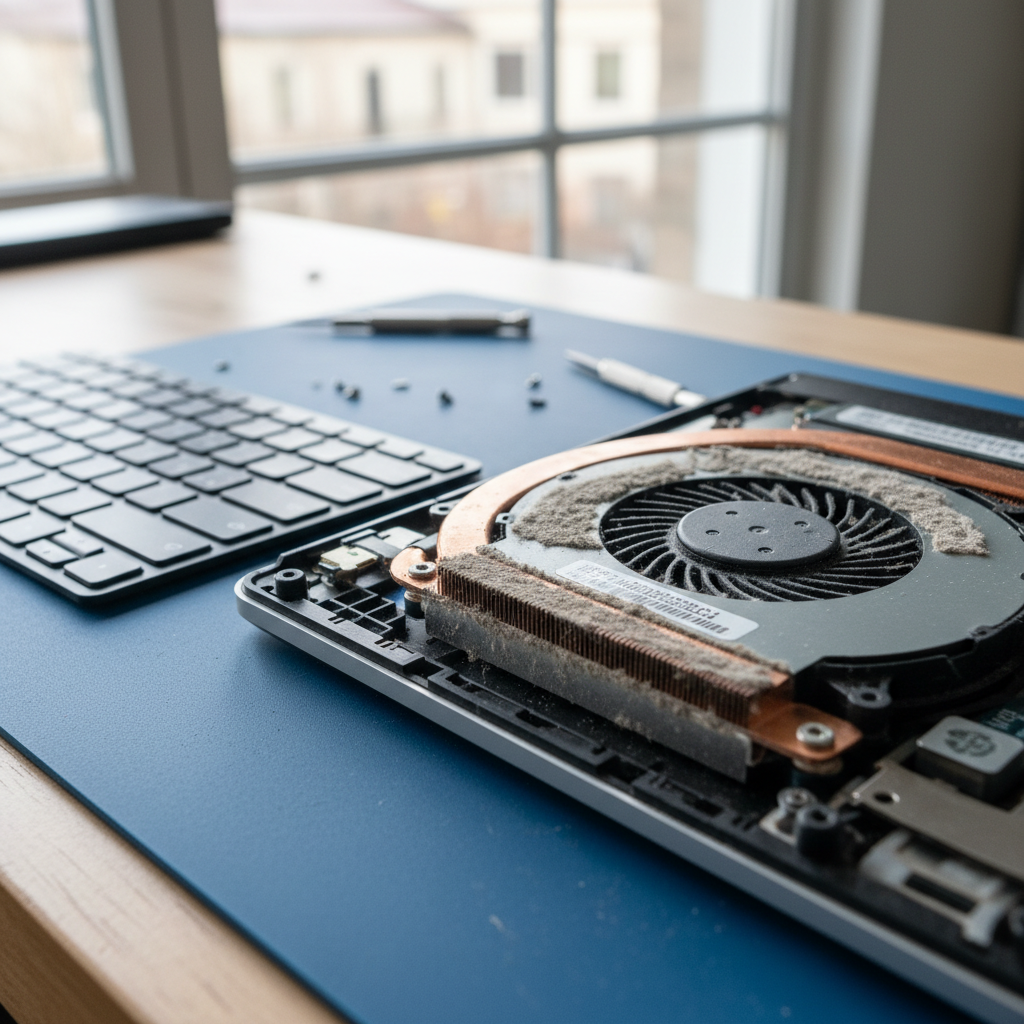
Why is my HP laptop so slow in Queens Domain?
Dust-clogged laptop fan cleaning service in Queens Domain — Hobart TAS 7000

Thick dust buildup like this is the #1 cause of overheating laptops in Queens Domain — a professional clean brings temps down 15-25°C.

HP laptops slow down mainly from dust-clogged fans, too many startup programs, and years of Windows updates piling up. Models like the Pavilion or Envy respond brilliantly to a thermal clean and software tune-up, which we do same-day for $120-$180. This is a common issue we see in Queens Domain, especially with older HP Pavilion laptops that start slowing down after 3-4 years — fans clog and thermal paste dries out.
Need help? Call (03) 6156 4934 — same-day service in Queens Domain and Hobart.

Can you fix my Dell laptop screen in Queens Domain 7000?
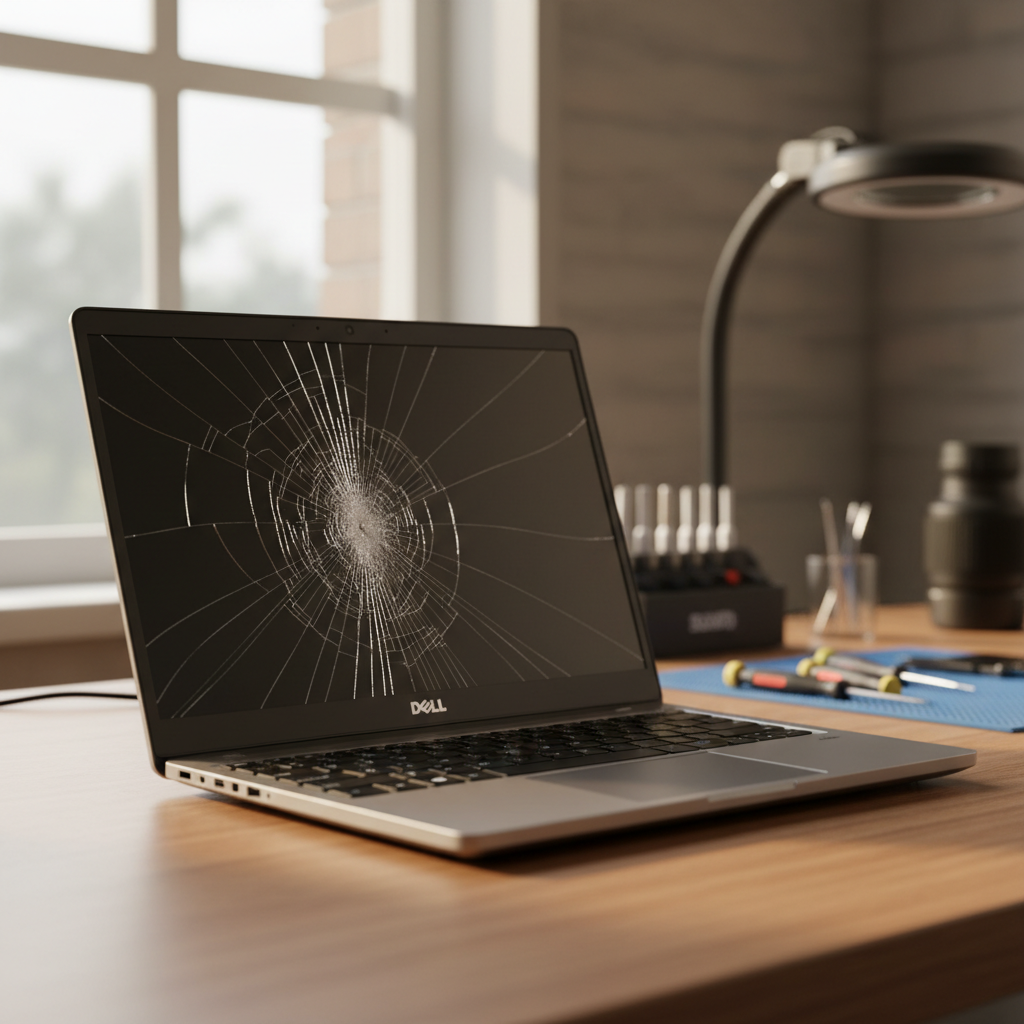
Cracked Dell laptop screen repair in Queens Domain — Hobart TAS 7000

Example of the cracked Dell laptop screens we repair across Queens Domain — same-day service available.

Yes, we replace cracked or flickering screens on Dell Inspiron, XPS and Latitude models right here at The Original PC Doctor — most are ready same-day. Costs start at $250-$450 depending on size and panel type, backed by our 14-day workmanship guarantee. For issues like your Dell laptop screen replacement in Queens Domain 7000, bring it in and we’ll quote upfront with no surprises.
If your laptop screen is cracked or the display flickers after a bump, that’s exactly the kind of hardware fault we handle through our laptop repair services in Hobart — from hinges to full panel swaps on Dell, HP and Lenovo.
Need help? Call (03) 6156 4934 — same-day service in Queens Domain and Hobart.

How much does MacBook battery replacement cost near Queens Domain?
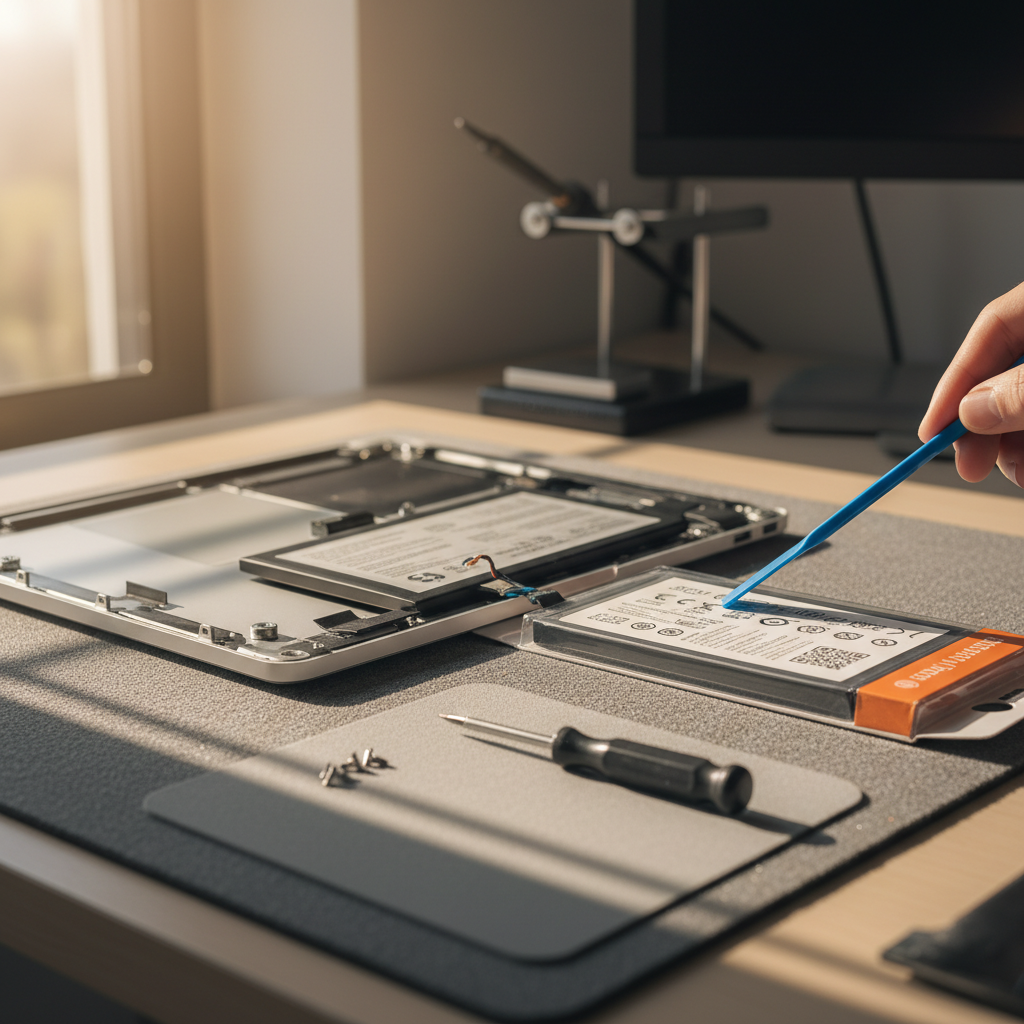
MacBook Pro laptop battery replacement service in Queens Domain — Hobart TAS 7000

We replace laptop and MacBook batteries on-site in Queens Domain — genuine cells, same-day service, backed by our 14-day workmanship guarantee.

MacBook battery swaps run $250-$400 for most Pro and Air models, including genuine cells and a full diagnostic. Since there’s no Apple Store anywhere in TAS, we’re the go-to for locals avoiding the interstate hassle to Apple Chadstone. Swapping a MacBook battery near Queens Domain is quicker here with no shipping wait.
Need help today? Call (03) 6156 4934 — same-day service in Queens Domain and Hobart.

Do you remove viruses from Windows 11 PCs in Hobart?
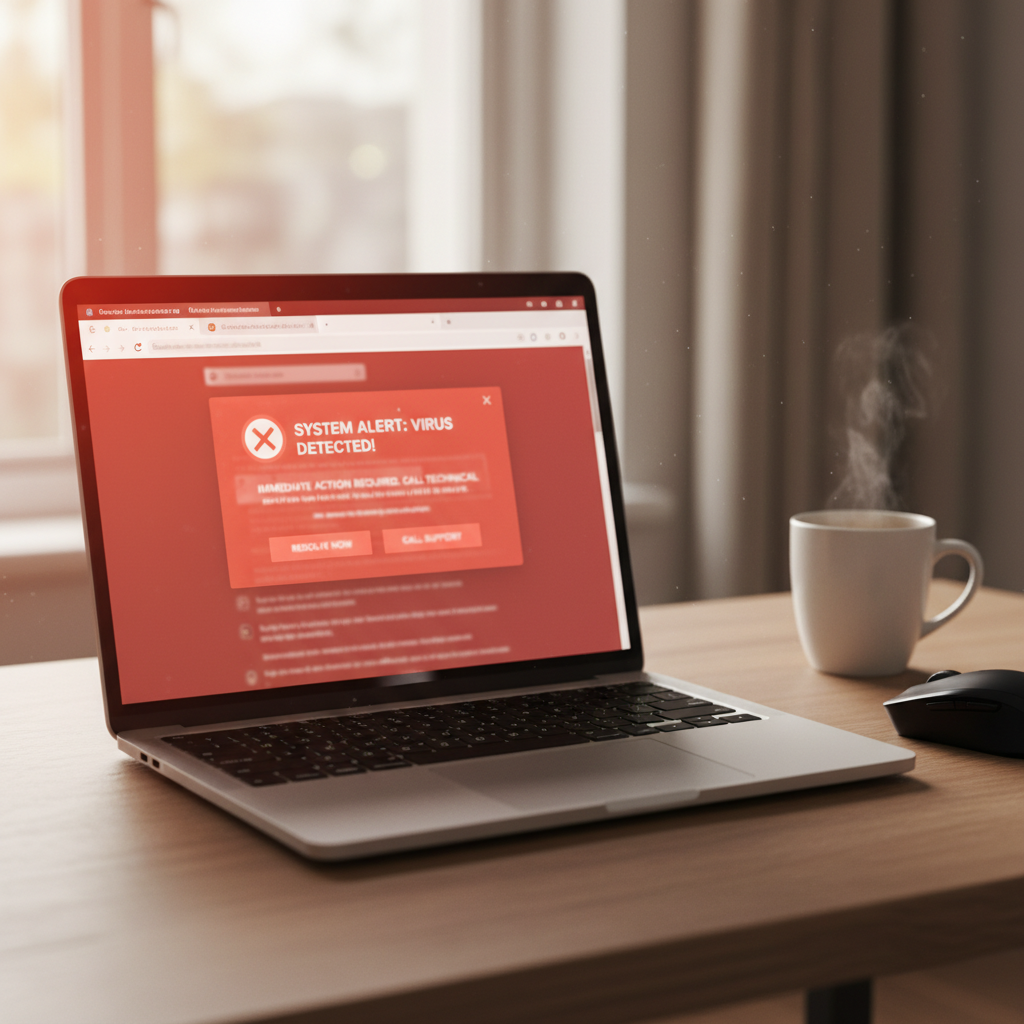
Virus and malware removal service in Queens Domain — Hobart TAS 7000

Scammy fake virus pop-ups like this trick thousands of Australians every year — we clean infections and lock systems down across Queens Domain.

We specialise in cleaning viruses, ransomware and browser hijacks from Windows 11 desktops and laptops — full scans plus removal start at $150. It’s No Fix, No Fee so zero risk if malware has trashed your files. Common around Hobart office buildings where shared networks spread infections fast.
Pop-ups, slow performance and locked files are classic signs of malware infections we clear out via our virus removal services across Hobart — Norton conflicts and McAfee false positives included.
Need help? Call (03) 6156 4934 — same-day service in Queens Domain and Hobart.

My iPhone has been hacked — can you recover my Gmail account in Queens Domain?
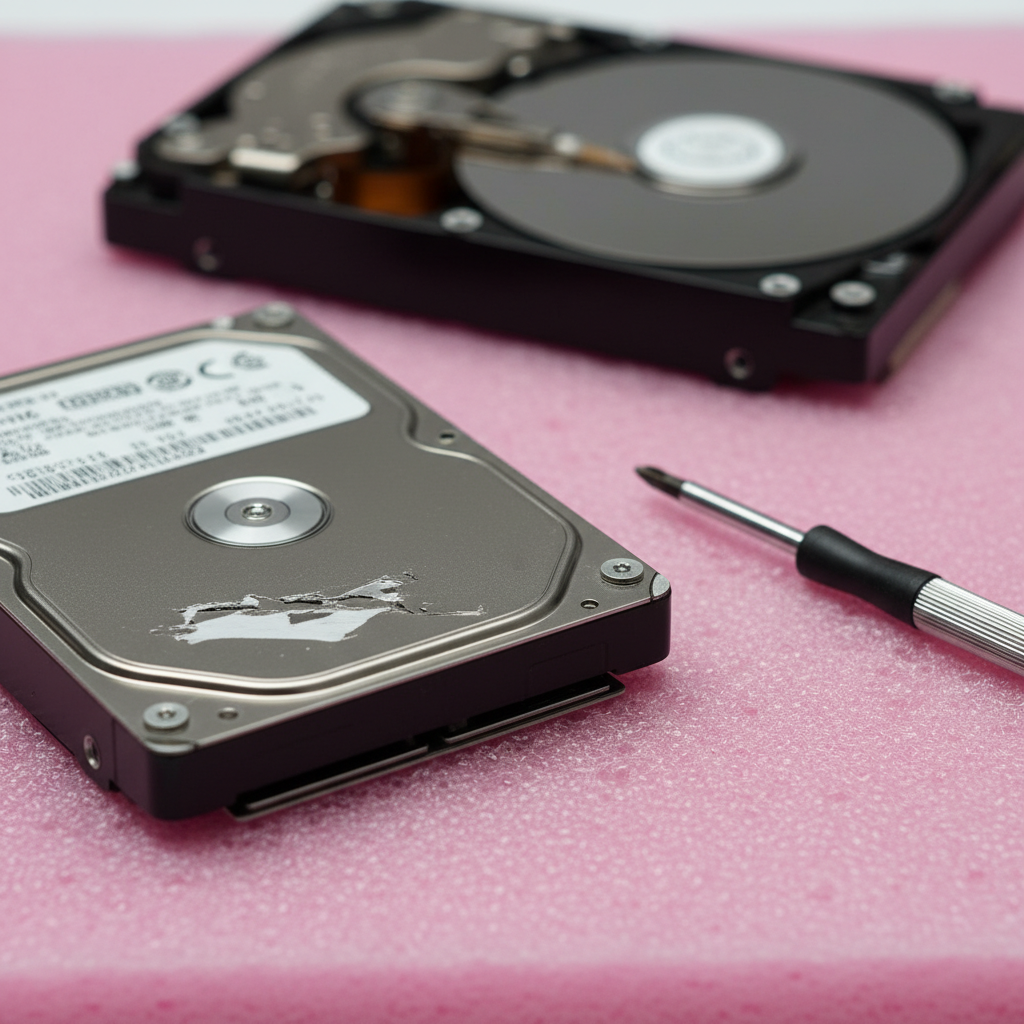
Dead hard drive data recovery service in Queens Domain — Hobart TAS 7000

Dead or clicking drives like this can often still be recovered — we run cleanroom-grade recovery for Queens Domain clients every week.

Yes, we reset hacked Gmail accounts on iPhones by securing 2FA, changing passwords and checking suspicious logins — no hardware needed, just $99-$150 for the cleanup. Apple refers TAS customers like you to us since there’s no local store. For iPhone hacked Gmail recovery in Queens Domain, we get you back online fast without data loss.
Hacked accounts on iPhones or any device tie into the security issues we address through our Hobart computer repairs service — from password resets to full account audits.
Book a technician — Call (03) 6156 4934 — same-day service in Queens Domain and Hobart.

NBN keeps dropping out with Telstra in Queens Domain — what do you check first?
NBN router and WiFi setup service in Queens Domain — Hobart TAS 7000

We set up and troubleshoot NBN routers like this across Queens Domain — same-day service for dropouts, slow WiFi, and new installations.

Telstra NBN dropouts usually stem from faulty line filters, splitter issues or modem firmware glitches — we diagnose on-site in 30 minutes. First, power cycle your modem; if no joy, check the filter at the wall socket. Queens Domain Telstra NBN dropouts often trace back to shared office building wiring too.
Intermittent NBN connections on Telstra or Optus lines are everyday fixes through our NBN internet support services — covering FTTN, FTTP and basic router setups.
Local help fast — Call (03) 6156 4934 — same-day service in Queens Domain and Hobart.

Should I repair my 5-year-old Lenovo ThinkPad or buy new?
If it’s a ThinkPad T-series under 5 years old, repairing beats replacing — SSD upgrades and battery swaps cost $200-$400 vs $1,500+ new. We’ve been fixing computers across Australia since 2001, so we know when it’s worth it. Compare total cost: repair keeps your familiar setup running smoothly.
For a quick decision on Lenovo ThinkPad repair vs replace, factor in your data and workflow — we quote both options free.
Need help? Call (03) 6156 4934 — same-day service in Queens Domain and Hobart.
Can you recover data from a dropped ASUS laptop in Queens Domain?
Absolutely, our no-data-no-charge recovery pulls files from dropped ASUS laptops even if the drive clicks or won’t mount — $250-$600 based on damage. A uni student near here last week recovered their entire thesis after a stair tumble; done in 48 hours. Sudden drive failures from drops or jolts are what our data recovery services in Hobart specialise in — SSDs, HDDs and even corrupted RAID arrays from ASUS ROG or Zenbook models.
For ASUS laptop data recovery after drop in Queens Domain, don’t risk further damage by powering on repeatedly.
Need help? Call (03) 6156 4934 — same-day service in Queens Domain and Hobart.
How do you set up Outlook on my Samsung Galaxy S24?
We configure Microsoft 365 Outlook on Galaxy S24s step-by-step: add the account, enable sync for email/calendar/contacts, and troubleshoot IMAP/POP errors. Takes 20 minutes remotely or in-shop for $80. Straightforward for most, but Exchange server hiccups need our tools.
Email setup issues on Android devices like Samsung Galaxy often link to the Microsoft 365 migrations we handle in our business IT support — perfect for Hobart professionals on the go.
For immediate help, call (03) 6156 4934 — same-day service in Queens Domain and Hobart.
My MacBook won't turn on after a power surge — what now?
Power surges fry MacBook logic boards or power circuits — we test and repair for $200-$500, often same-day if parts are in stock. Don’t charge it repeatedly; that risks further shorts. Since Apple has no store anywhere in TAS, we’re the local fix before warranty shipping.
MacBooks that refuse to power on after surges fall under the logic board and DC-in repairs we cover in our Mac repair services across Hobart — from Air to Pro models running macOS Sonoma or older.
This hits hard in Queens Domain with its older office buildings and unstable grids.
Need help? Call (03) 6156 4934 — same-day service in Queens Domain and Hobart.
Is my desktop infected with ransomware — how do you remove it?
Ransomware locks files with encryption; we decrypt where possible or recover backups, plus full system wipe for $250-$450. Warning: never pay the ransom — it funds more attacks. Step 1: isolate the PC from the net; step 2: scan in our cleanroom.
Ransomware variants targeting Hobart desktops and small businesses are precisely what we neutralise through our virus removal services — including shadow copy recovery and prevention setups. Pair that with data salvage if files were hit early, via our dedicated recovery process. Hobart ransomware removal near Queens Domain needs pros, not DIY.
Need help today? Call (03) 6156 4934 — same-day service in Queens Domain and Hobart.
Can you help my mum set up her new Chromebook in Queens Domain?
Yes, we do patient, step-by-step Chromebook setup for seniors — WiFi, Google account, printing, all $90 in-home. No rush, we explain as we go.
First-time Chromebook owners like your mum benefit hugely from the gentle, one-on-one guidance in our seniors tech help services — covering everything from basic navigation to safe browsing on ChromeOS.
Need help? Call (03) 6156 4934 — same-day service in Queens Domain and Hobart.
What's the cost to upgrade RAM on a Microsoft Surface Pro?
Surface Pro RAM upgrades aren’t DIY-friendly due to soldered chips on most models — we advise compatible configs or full swaps starting $300.
Do you service computers near the University of Tasmania in Queens Domain?
We fix student laptops and recover uni files urgently for UTAS students right here — same-day turnaround since there’s no on-campus repair shop. A typical case: essay deadline looming, drive fails; we pull the docs for $250. Queens Domain is walking distance from campus, so drop-offs are easy; we’ve handled hundreds like this over the years at The Original PC Doctor. Common fixes include screen cracks from backpack drops and virus cleanups from shared dorm WiFi. Laptop failures right before assignment deadlines are a staple of the student repairs we offer through our Hobart computer repairs service — UTAS crowd especially.
Need help? Call (03) 6156 4934 — same-day service in Queens Domain and Hobart.

Don’t risk losing your files or making the issue worse — most problems in Queens Domain are fixed the same day.

Call now or book online and we’ll have a technician on your screen within the hour.

The Original PC Doctor · Since 2001 · No Fix, No Fee · 14-day workmanship guarantee · Same-day service in Queens Domain and Hobart

Find Us On The Map

Free Tools & Guides

A few free, government-backed and vendor-official resources we recommend to Queens Domain locals between callouts: Australian Cyber Security Centre device security guide — clear, practical guides for securing your home network, devices and accounts. Apple Support Australia is the first stop for any Mac, iPhone, iPad or Apple ID issue, searchable by error message. Microsoft Support Australia does the same for Windows, Surface, Outlook and Microsoft 365. For responsible disposal of old computers, monitors and batteries, EPA Tasmania waste resources is the local authority on where to drop them off so nothing toxic ends up in landfill.

About Computer Repairs in Queens Domain

Queens Domain 7000 forms part of the Hobart local government area.

The Queens Domain job mix typically lands somewhere between hardware work (screen replacements, battery swaps, motherboard diagnostics on Dells, HPs, Lenovos and MacBooks), software and account work (Microsoft 365, iCloud, virus removal, password recovery), and network work (NBN, Wi-Fi, mesh setups).


Laptop brands we service

Every major laptop brand sold in Australia — onsite or workshop repair, per-fault pricing typically 30-50% below brand-authorised service.

Top services

Leave a Reply

Your email address will not be published. Required fields are marked *

Want a Quick Quote?

Computer Issues? Enter your details below, and one of our helpful helpdesk staff will contact you back in 30 minutes or less to give you a free, no-obligation quick quote.

    🔒 Your details stay private and secure (Privacy Policy).

    The Original PC Doctor - 25 years of business excellence